
tcpMDT
[PRO] Mass Diagram Calculation - MDT26
Mass Diagram Calculation
 | Command to execute in the CAD |
|---|---|
Vertical menu | MDT26 > Measurements > Mass Diagram > Calculation |
Ribbon menu | Volumes > Mass Diagram > Calculation |
Command line |
The distribution of earthworks throughout the road's route can be analyzed using this option. Also, with a series of tools, the user can carry out different types of movements of materials to find minimum heights and obtain a list with all earthworks carried out and the cost of each one.
When this command is executed, it gives the option to work in two ways: from a road Segment or from two Cross-sections files (two different states of the same terrain).
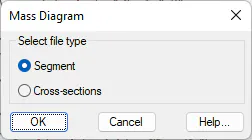
At the end of the process, the command will request that the information be saved in a file with a DMS extension. The rest of the commands related to the Mass Diagram work with this file type.