
tcpTunnel CAD
Axis panel - TNC3
12.4 Axis Panel
Below the CAD viewer a panel is displayed with the alignment data of the axis:

Insert: Displays the Edit Axis Node dialog to insert a new segment at the end of the axis.
Alignment list:
For each alignment the following information is shown in the list, from left to right:
Alignment: Whether it is a straight, curve or clothoid.
Station: The initial station of the segment. Can be edited by double-clicking, on the first segment.
X: The initial X coordinate of the segment. Can be edited by double-clicking, on the first segment.
Y: The initial Y coordinate of the segment. Can be edited by double-clicking, on the first segment.
Azimuth: The initial azimuth of the segment. Can be edited by double-clicking, unless the segment is preceded by a curve or clothoid.
Parameter: In the case of clothoids, the value of the parameter (A). Otherwise always 0. Can be edited by double-clicking.
Radius: In the case of curves or clothoids, the value of the radius. Otherwise always 0. The sign determines whether the curve is interior or exterior. Can be edited by double-clicking.
Length: Length of the segment. Can be edited by double-clicking, unless it is a clothoid with a non-zero radius.
Edit: Displays the Edit Axis Node dialog to modify the segment.
Delete: Removes the segment from the axis.
Whenever a segment is deleted or modified, the axis will be recalculated.
Axis tools:
In the lower right of the panel there are some tools for performing specific operations on the axis:
Shift Station: Allows one to set a new initial station for the axis, adjusting the stations of all segments accordingly.
Invert: Inverts the direction of the axis, so that the first segment becomes the last.
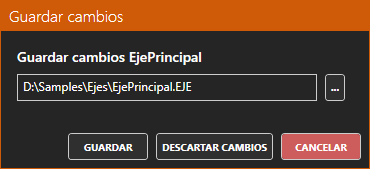
If the active axis has been modified, when attempting to set a different axis as active or closing the application, a dialog will appear allowing one to save the changes to the original file or a new file, discard the changes, or cancel the close/file change.