
tcpTunnel
Vertical alignments - TNL5
5.5 Vertical Alignments
Grade lines are vertical alignments comprising the final status of a longitudinal profile. They involve certain distances to origin and their absolute heights, with the possibility of linking the vertices by means of parabolic or circular sections (vertical transition curves) which will be defined by any of their components: Kv (parameter of the parabola) or R (radius of the circle), Tangent (length in an orthogonal projection on each of the alignments involved) or Arrow (maximum ordinate at the vertex).
TcpTunnel works indistinctly with parabolic or circular curves.
These files are compatible with TcpMDT (*.RAS) files. The options available to manage this kind of files are the following:
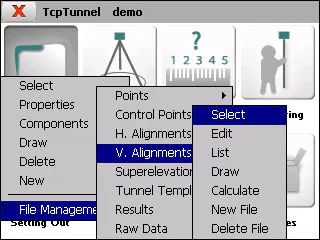
Select
Allows one to select a vertical alignment file.
Edit
Allows one to view and modify the current file's records.
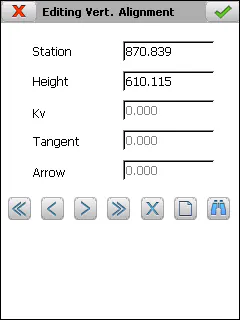
The Kv or Radius, the tangent and the arrow are automatically calculated in manual entry when one of them is entered. Depending on the type of vertical alignment file's transition curve, the Kv (parabolic transition curve) or Radius (circular transition curve) is shown on screen.
In addition to the common file management options, the ones appearing below are available:
 Allows a new vertex to be inserted at the vertical alignment.
 Allows a given Station of the vertical alignment to be searched.
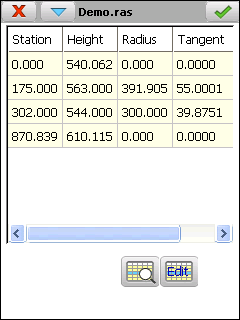
The records have the following fields:
**Name**     **Type**   **Length**   **No. of Decimals**   **Description**

 Station     Numeric        11                3            Kilometer point

 Height      Numeric        8                 3             Vertex height
Kv / Radius Numeric 9 3
 Tangent     Numeric        9                 3

  Arrow      Numeric        9                 3
List
Shows a list with the vertical alignment vertices.
Draw
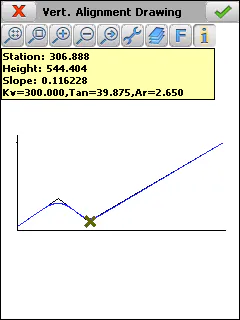
Shows a drawing of the current vertical alignment. Should transition curves be defined, both the previous vertical alignment as well as the definitive vertical alignment will be drawn.
Information about the station selected, the slope of the section to which the said station belongs and the height are shown by clicking on the screen. If the point selected projects onto any of the transition curves defined, the kv/radius, the tangent and the corresponding arrow will additionally be shown.
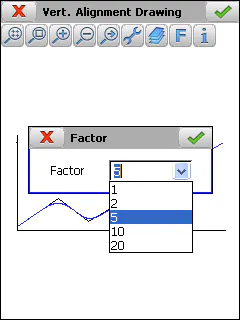
The button with the letter F allows different scale values for the drawing.
Calculate
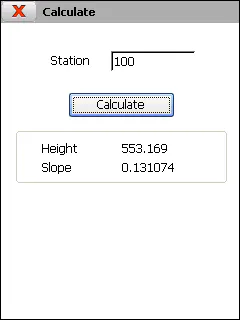
Entering a Station and clicking the Calculate button shows the corresponding height and the slope of the section to which the said station belongs on screen.
New File
Creates an empty vertical alignment file and associates it to the current project.
Delete File
Deletes a vertical alignment file from the disk. If the file selected belongs to the active project, the link to the project is also deleted.