
tcpTunnel
Horizontal alignments - TNL5
5.4 Horizontal Alignments
These files are also compatible with the file format of TcpMDT (*.EJE) files.
The options available to manage this kind of files are the following:
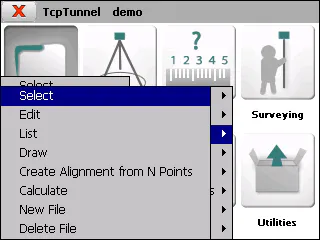
Select
Allows one to select a horizontal alignment file.
Edit
Allows one to view and modify the of the current file\'s records. If one changes a field of any vertex and presses the next or previous button, all the vertexes of the alignment will be recalculated.
One can also insert an alignment manually, by inserting all the data of the initial vertex and pushing the next button. The data of the next vertex will be calculated automatically. The process must be repeated for each of the alignment\'s vertices. The program will add a new vertex whenever a length other than 0.0 is indicated.
To record the data to file, press the accept button when all the vertices have been entered.
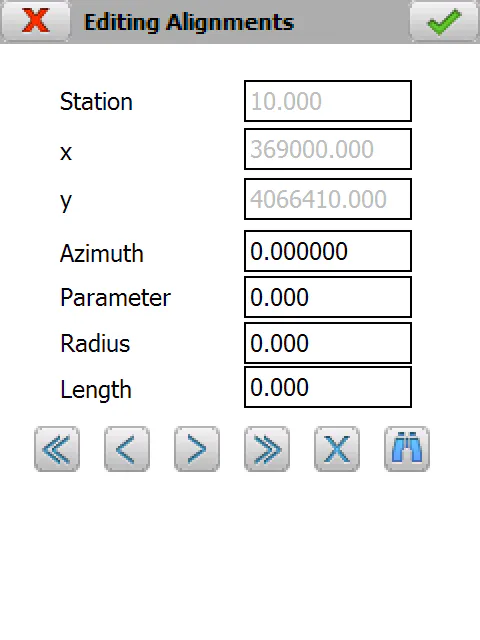
The records have the following fields:
Name Type Length No. of Decimals Remarks
Station    Numeric        11                3                 Kilometer point

   X       Numeric        11                3

   Y       Numeric        11                3

Azimuth    Numeric        8                 4
Parameter Numeric 9 3 Clothoid section parameter
Radius Numeric 9 3
The  button allows one to search for a specific station.
List
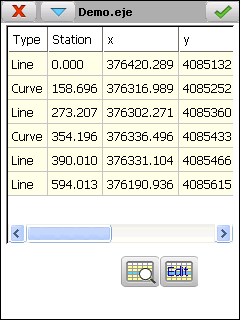
Displays a list of the alignment\'s vertices. One cannot add or edit vertices in this window. To do so, press the Edit button.
Draw
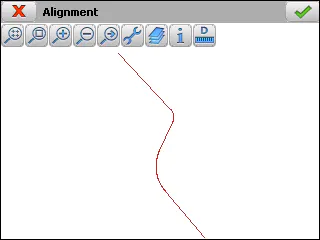
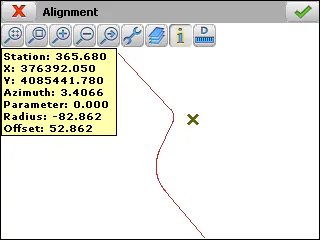
Shows a drawing of the alignment selected.
Create Alignment from N Points
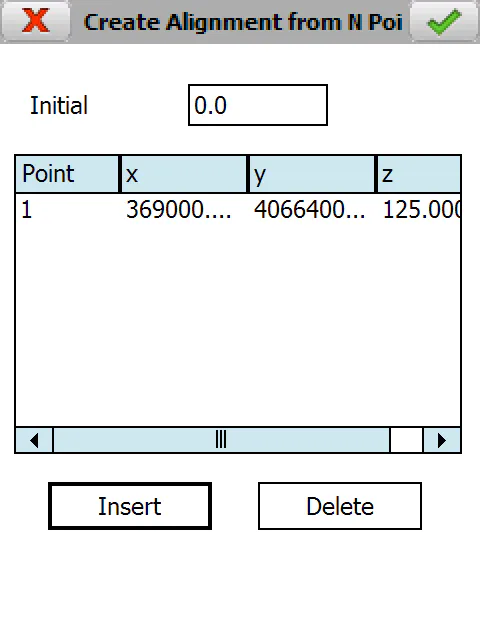
Allows one to create an alignment and the associated vertical alignment by supplying N points and an Initial Station.
First the program asks for the names of the alignment and vertical alignment files.
Calculate
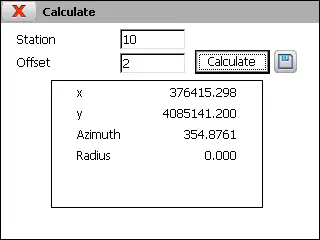
If one supplies a Station and an Offset and pressing the Calculate button, the program displays the x and y coordinates of the calculated point, as well as the Azimuth and Radius of the alignment in the Station in question.
New File
Creates an empty horizontal alignment file.
Delete File
Deletes a horizontal alignment file from the disk. If it belongs to the current project, the link to the project is also deleted.