
Support
Create Employee
Add new employees to your organization by completing a simple form with their personal and professional information.
To add a new employee to your company, click the 'New User' button located in the top right corner of the screen:
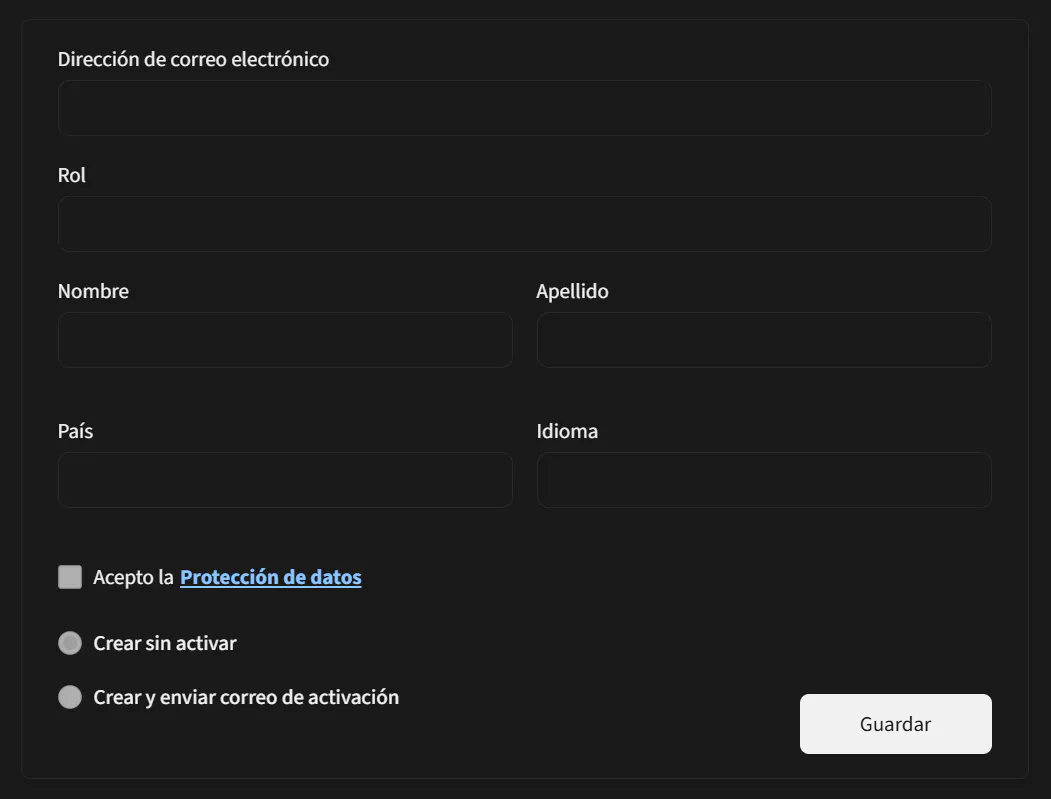
Fill in the form fields with the employee's information:
Important Note:
Accepting the data protection policy is mandatory to create an employee. The creation process cannot continue without this acceptance.
You will then have two options to choose from: 'Create without activating' and 'Create and send activation email.' You can only select one option. The first option will create the employee account in an inactive state, which can be activated later. The second option will send an email to the employee with instructions to complete their profile and activate their account.