
tcp PointCloud Editor
Set layer - PCE
13.30 Set Layer
Location
- Ribbon menu
- CAD Drawing
- MODIFY
- Layer (Set Layer)
Description
This command allows setting the layer to which the currently selected CAD entities belong.
Parameters
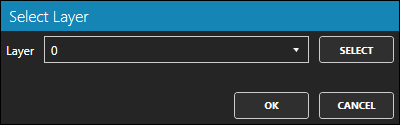
| Name | Meaning |
|---|---|
| Layer | Destination layer |
How to use
-
Select one or many CAD entities.
-
Click the Layer button.
-
In the Select Layer dialog window shown, set the target layer.
-
Click the OK button to accept or CANCEL button to cancel the command.