
tcp PointCloud Editor
Import orthophoto - PCE
11.1 Import Orthophoto
Location
- Ribbon menu
- Imagery
- IMAGES
- Import (Import Orthophoto)
Description
This command allows you to import orthophotos from several image files (ECW, JPG, JP2, or TIF).
Once the file(s) have been specified, the Import Orthophoto window will display the information found.
Paramaters
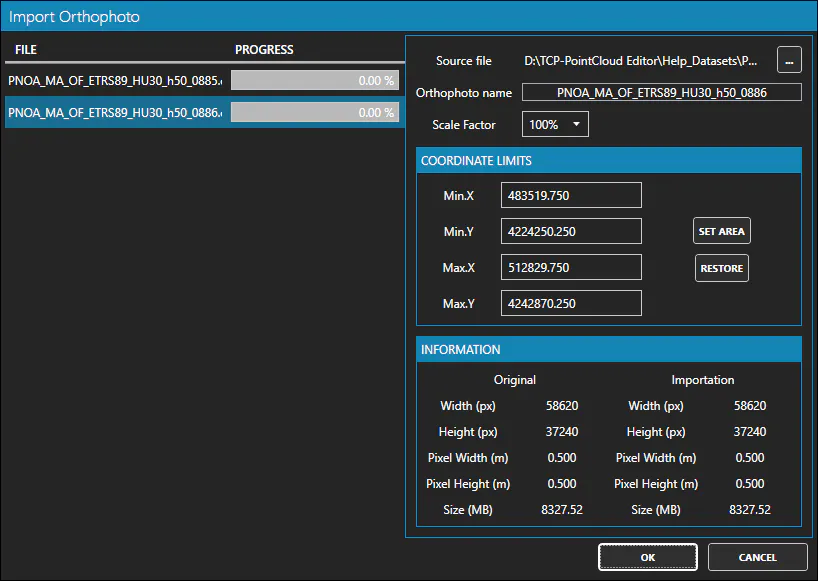
For each image, you can specify the following parameters:
| Name | Meaning |
|---|---|
| Orthophoto Name | The name of the orthophoto in the project |
| Scale Factor | Scale factor when resampling the orthophoto |
| Min.X | The minimum X-coordinate of the orthophoto |
| Min.Y | The minimum Y-coordinate of the orthophoto |
| Max.X | The maximum X-coordinate of the orthophoto |
| Max.Y | The maximum Y-coordinate of the orthophoto |
Use cases
-
When you want to use orthophotos available in the working environment.
-
When planning to texturise digital models with orthophotos.