
tcp PointCloud Editor
Record free path - PCE
11.7 Record Free Path
Location
- Ribbon menu
- Imagery
- VIDEO
- Free (Record Free Path)
Description
This command generates a video of a route from key points and orientations given by the user.
Parameters
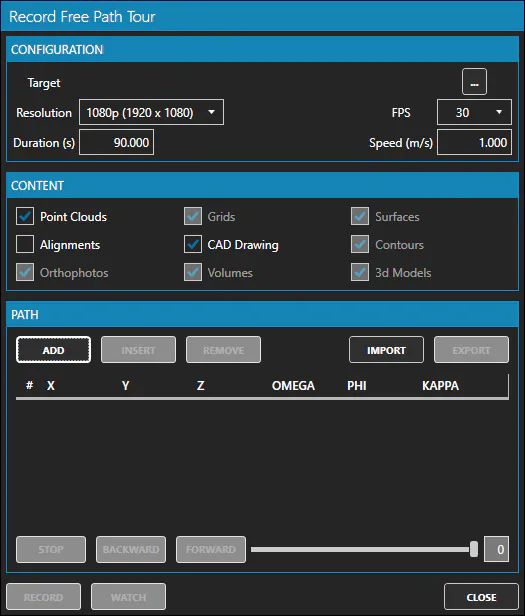
| Name | Meaning |
|---|---|
| Target | Destination video file, in which the generated video will be saved |
| Resolution | Resolution of the generated video |
| FPS | Frames per second |
| Duration (s) | Video duration in seconds |
| Speed (m/s) | Travel speed of the camera along the path in meters per second |
How to use
-
Set the parameters according to your needs.
-
Check the content options you want to render.
-
Set the desired view in the 3d viewer, and click on the ADD button to add new waypoints.
-
Insert or remove waypoints as needed.
-
Click the "RECORD" button to start generating the video.
-
In the RENDERING window that appears, you can modify the camera attitude as the video is generated, using the available controls.
Remarks
- You can import/export waypoints from/to file. This allows editing the waypoints in a text editor.