
tcp PointCloud Editor
Import SLAM route - PCE
11.5 Import SLAM Route
Location
- Ribbon menu
- Imagery
- IMAGES
- Import SLAM Route
Description
This command allows you to import SLAM image routes from different sources, using a camera orientation file and a set of images in JPG format.
Paramaters
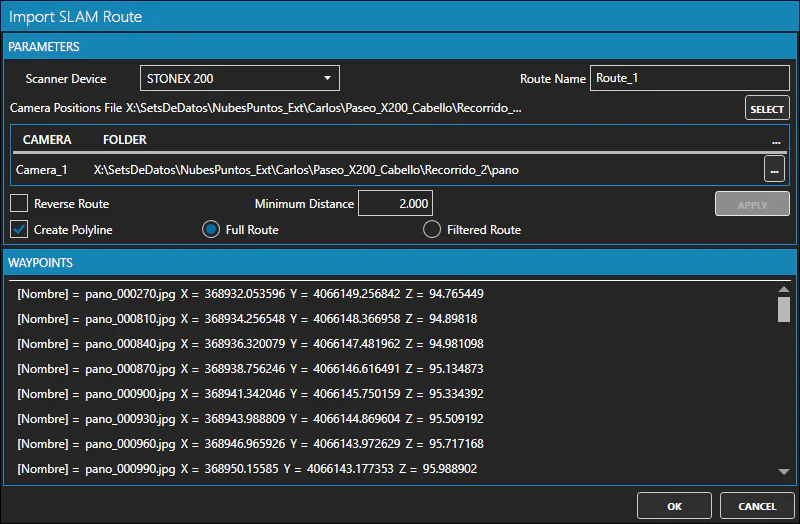
In the dialog box, you must set the data source, select the file containing the camera orientations, and select the folder or folders containing the images.
As the data source, you can choose between: * GoSLAM * OmniSLAM * SHARE * STONEX 120 * STONEX 200 * Trimble Perspective * XGRIDS
You can also specify that a 3D polyline be created based on the camera route, which is useful if you later want to select points along it.
After importing the SLAM images, the newly created route will be displayed in the project panel. Right-clicking on the route will bring up a context menu that will allow you, among other things, to view the images of the route.