tcpMDT
Grading with different slopes - MDT26
12.4 Grading with Different Slopes
Then, we will execute a grading again in which the slopes will be different depending on the side of the polyline that defines the platform. Hence, first insert the Platform3.dwg block.
Run the command Surfaces> Grading> By Platform Elevation and select the polyline that we just inserted. We set the platform elevation at 557 and then press the buttons indicated in the following image.
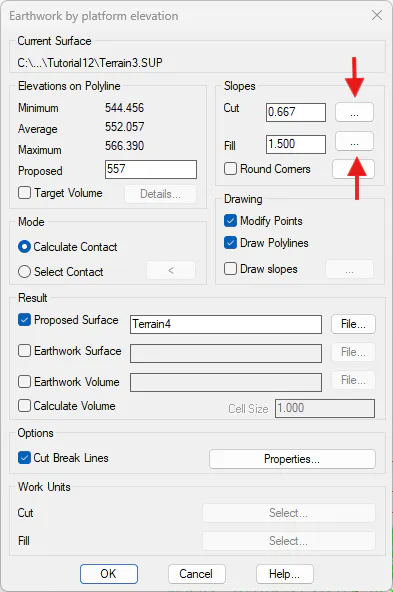
When selecting these buttons, the following window will be displayed in which we can establish the slope values according to the side of the polyline.
In the case of Cut Slope, we will establish a value of 0.667 for the North and South polyline sides and we will establish 1.5 for those located East and West.
In the case of Fill Slope, we will establish value 0.5 for the North and South polyline sides and we will establish 1.0 for those located East and West.
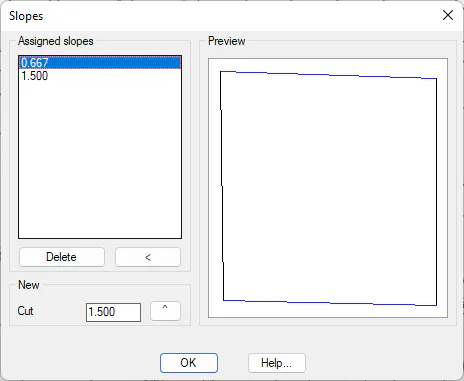 |
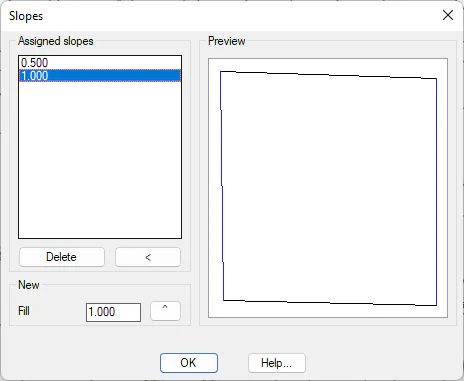 |
|---|---|
| Cut Slope | Fill Slope |
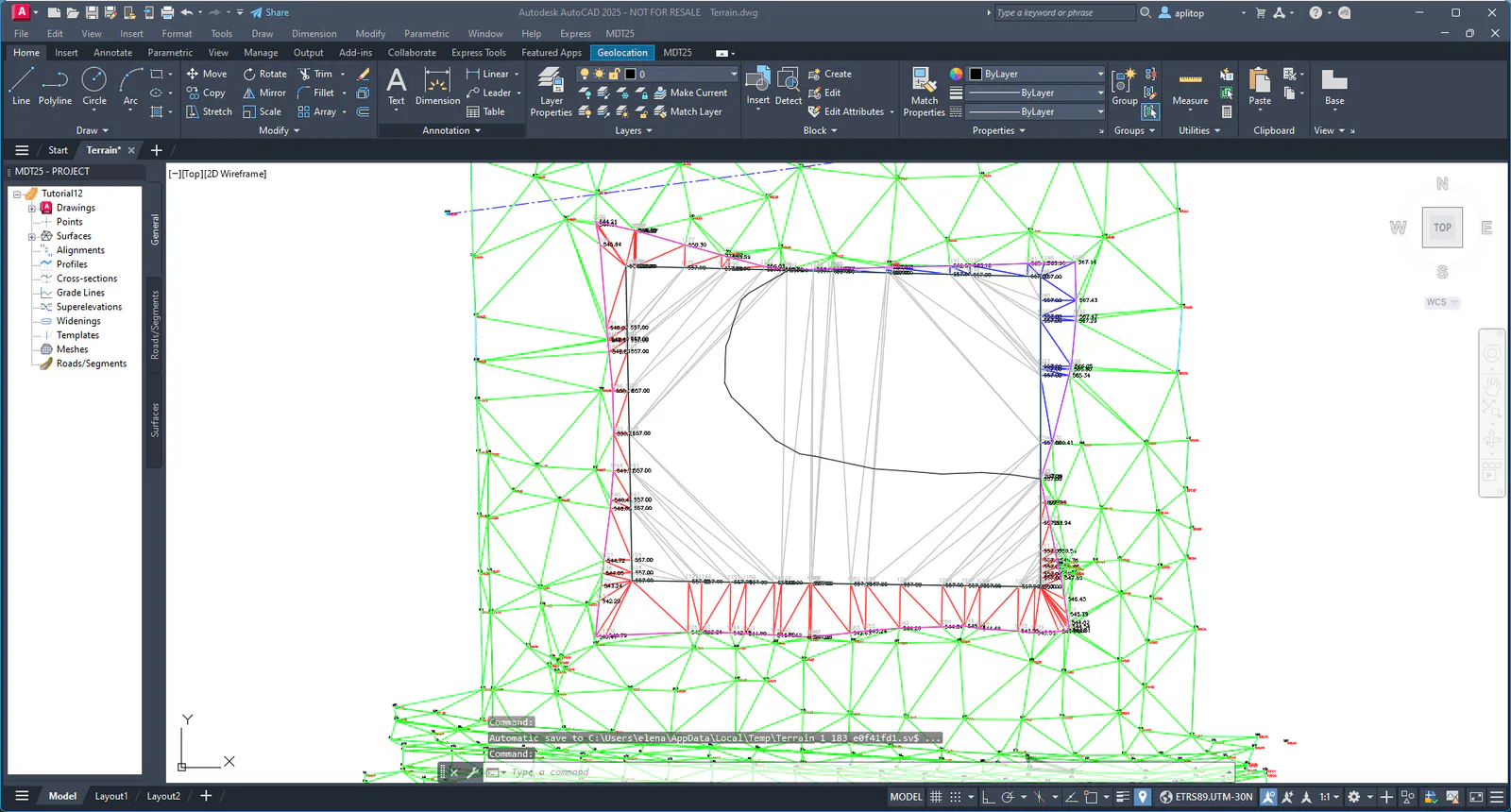
The final result would be: