
tcpMDT
Calculate vertical alignment link - MDT26
14.6 Calculate Vertical Alignment Link
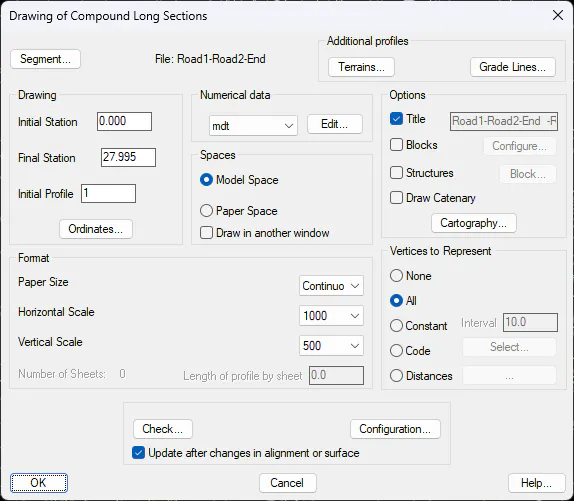
We run again the Road Intersection > Calculate Vertical Alignemnt of Link and select the alignment of the new link. Draw according to the following settings in a free area that we have in the drawing.
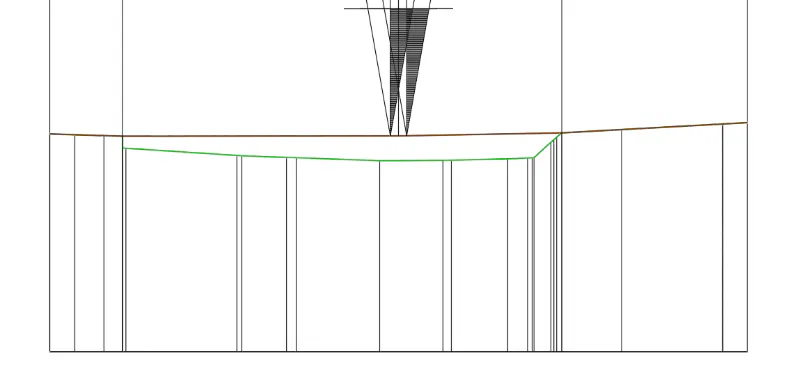
With the Vertical Agreement > Vertical Transition Curve option , we edit any vertex and press the "Insert" button. We proceed in the same way as in the previous case, we insert two vertices in the grade at the points of intersection with the two roads, additionally we move the central vertex with the Up button. The end result should look similar to the one shown in the image below.
Finally, we press the "Ok" button and update the information as recommended by the program.