Support
How do I update an MDT LDK license using the EID?
To update an MDT license using the EID (Entitlement ID) provided by APLITOP, follow these steps:
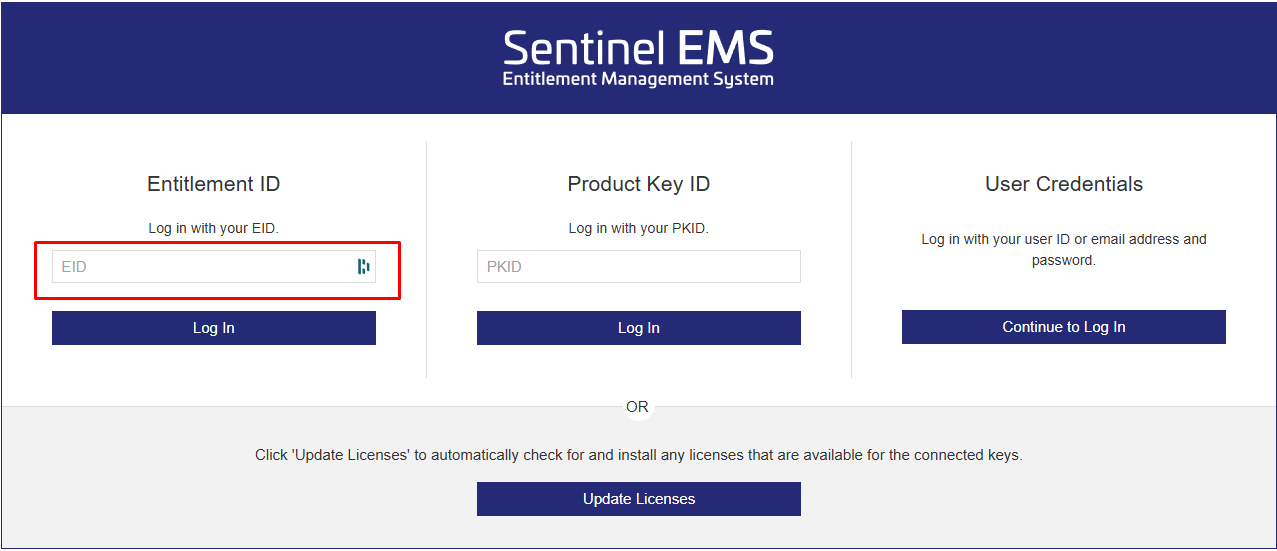
Go to the Sentinel EMS portal at https://aplitop.prod.sentinelcloud.com/customer/login, enter the EID in the "Entitlement ID" field and click "Log In".
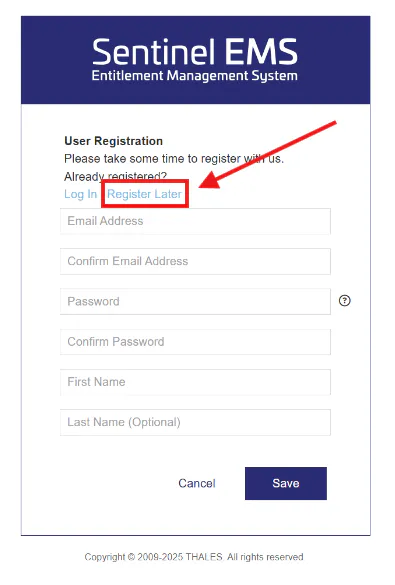
On the next screen, skip the registration step by clicking "Register Later".
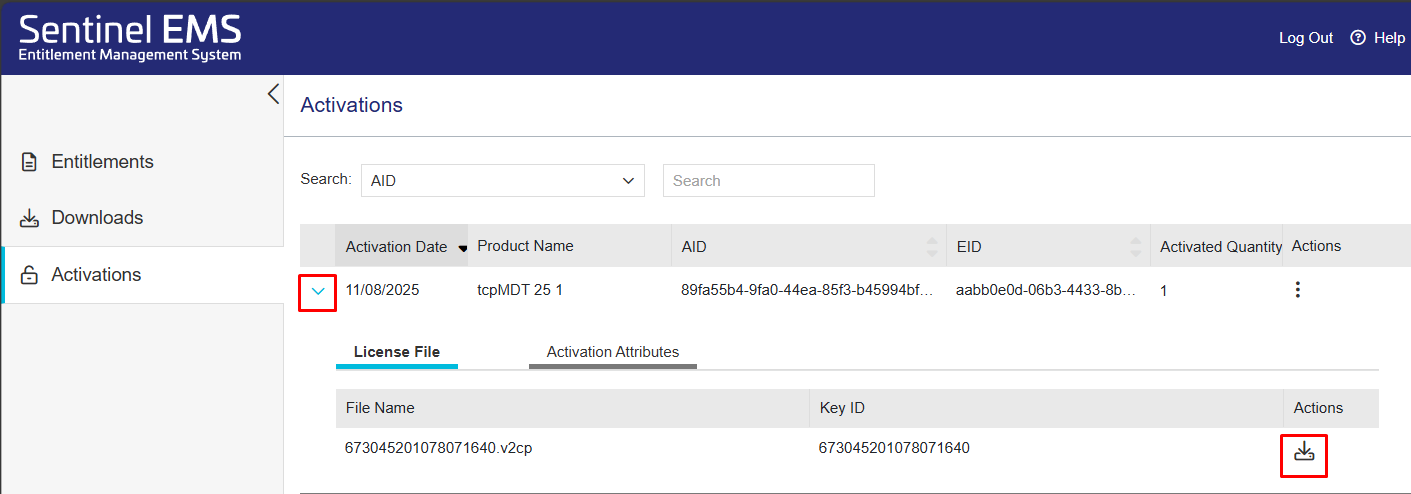
On the screen that appears, click "Activations" in the left-hand column.
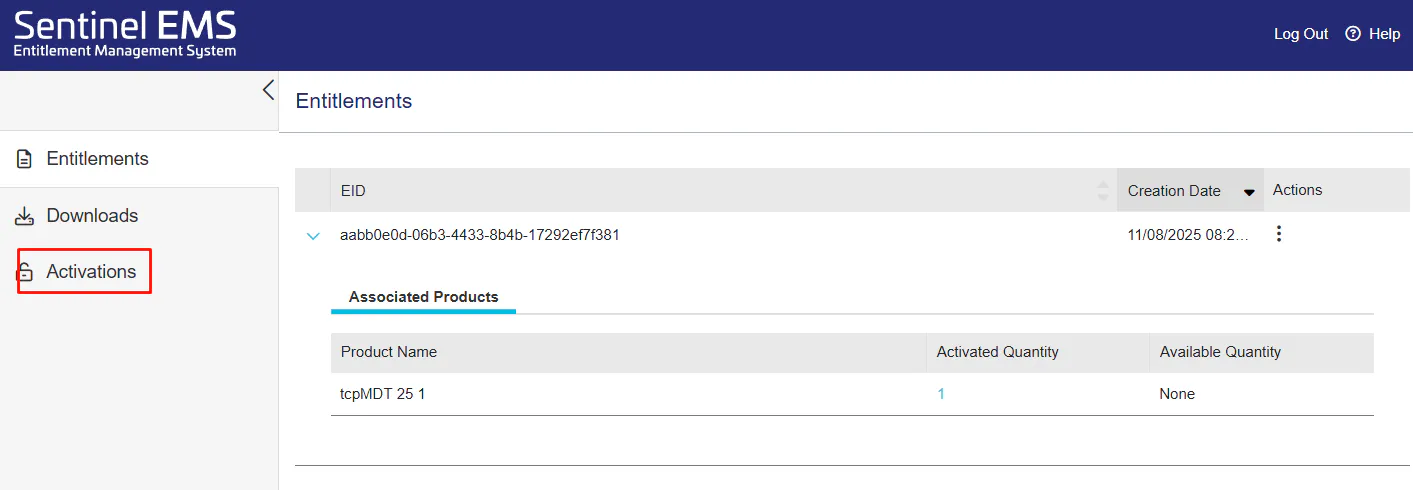
Expand the activation using the arrow and download the license file with the
.v2cpextension using the download icon in the "Actions" column. Save it to a location of your choice on the computer.
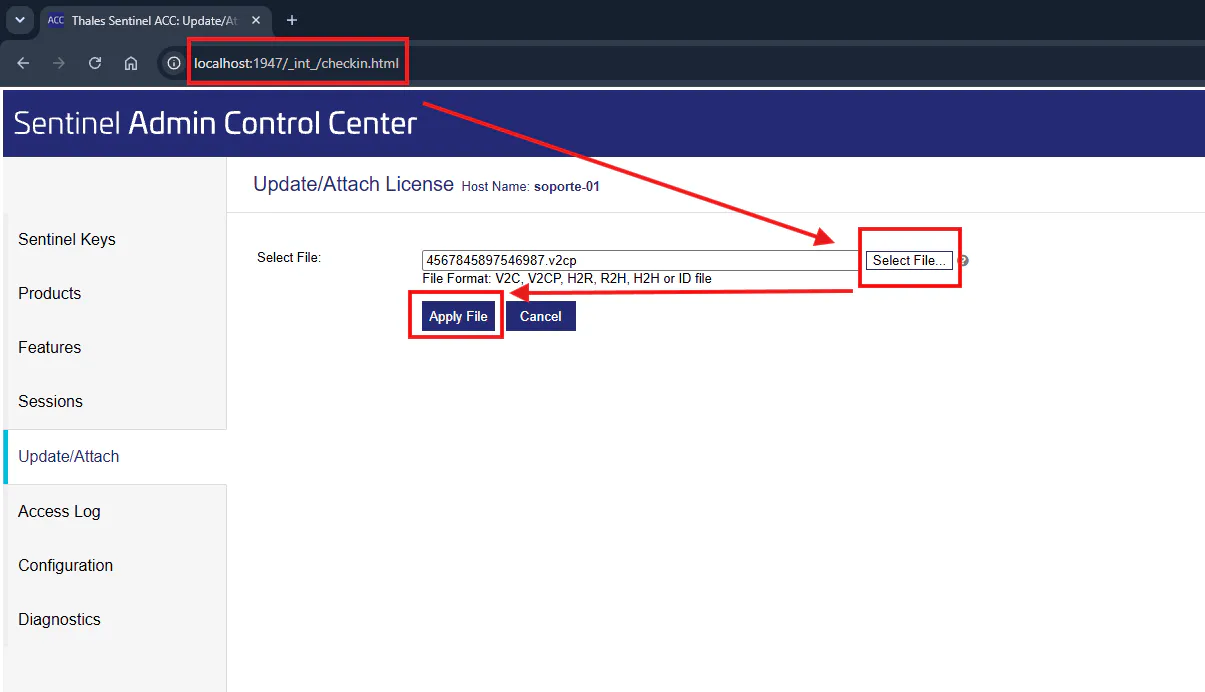
On the computer where you want to perform the update, go to http://localhost:1947. The Sentinel Admin Control Center license manager will open in the browser.
In the left-hand column, click "Update/Attach".
Click "Select File…", select the
.v2cpfile you saved and then click "Apply File". A message will confirm that the update has been completed successfully.