Support
How do I update an MDT LDK license using an update file?
To upgrade an MDT license that is already installed to a higher version (for example, from MDT9 to MDT26), follow these steps:
First, download the license update file with the
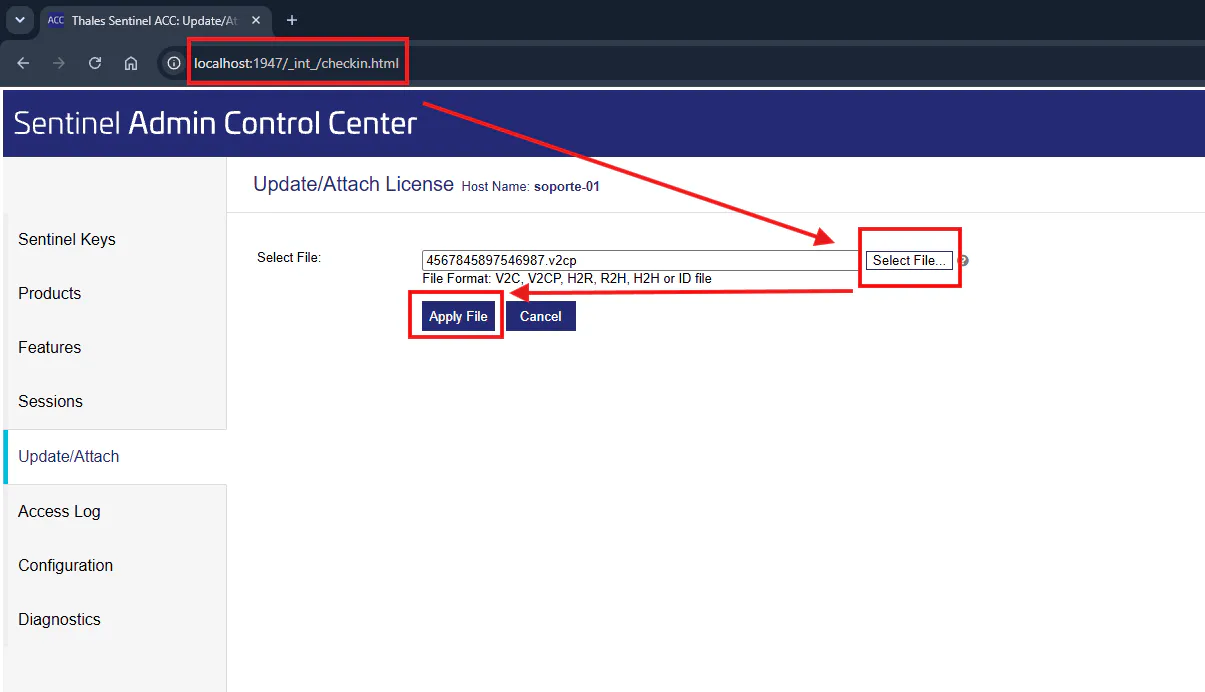
.v2cpextension sent by APLITOP to a location of your choice.On the computer where you want to perform the update, go to the URL http://localhost:1947/_int_/checkin.html and apply the downloaded file.
To do so, click the "Select File…" button, browse to the folder where you downloaded the file and select it with "Open". Click "Apply File" and the license will be updated successfully.