tcp PointCloud Editor
Measurements - PCE
3.2 Measurements
-
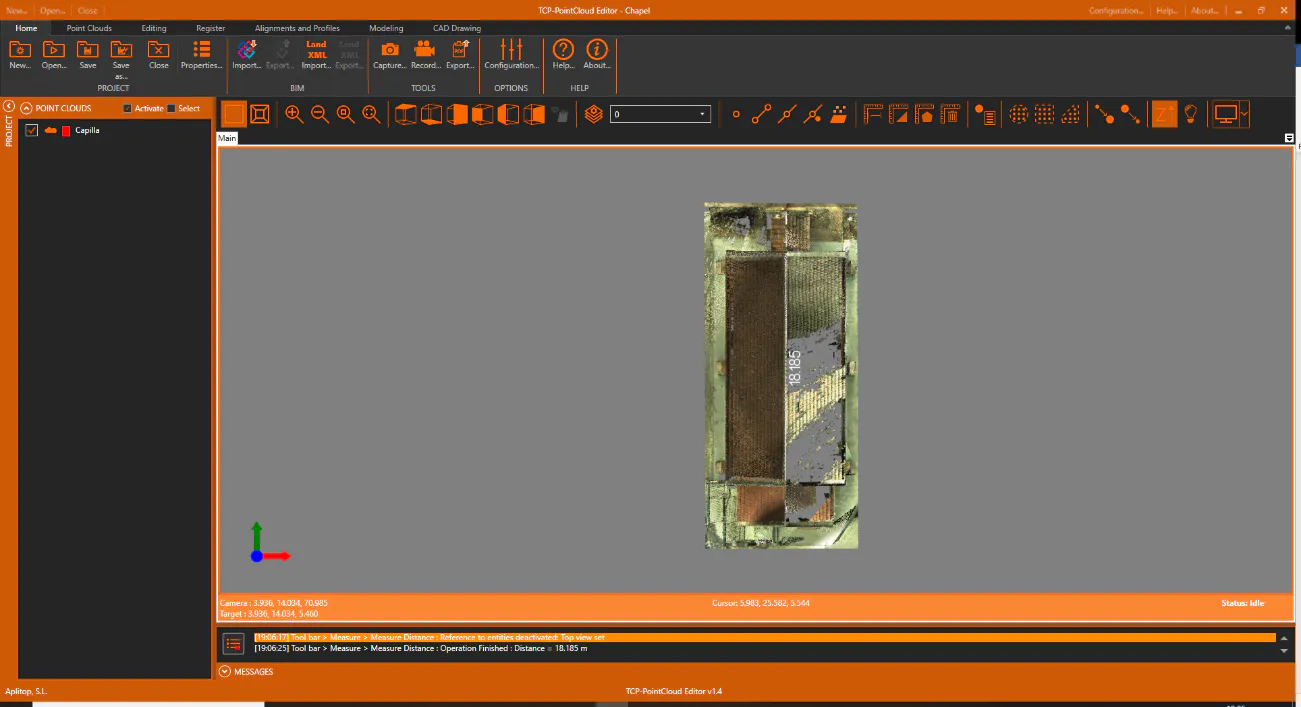
On the toolbar, click the Measure Distance icon. The top view will be automatically activated, where we can select the start and end points to draw the annotations.
-
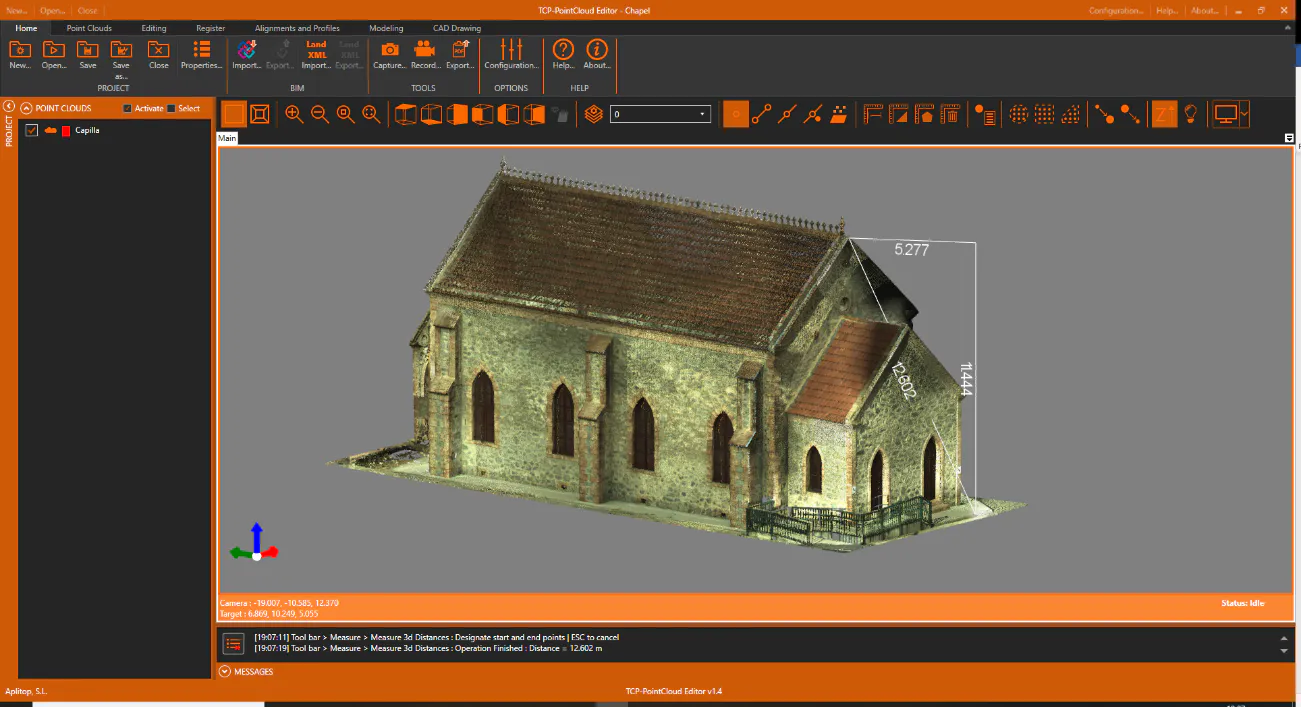
Press the Clear Measures button, set a 3D view and activate the Point Reference. Run Measure 3D Distance and select the points to measure to obtain the horizontal, vertical and 3D distances.