
tcpMDT
Distances to the horizontal alignment - MDT25
16.14 Distances to the Horizontal Alignment
Additionally, as well as indicating the setting out element, for example the horizontal alignment, road shoulder, etc., we can indicate to the command additional distances to the horizontal alignment we wish to set out and that do not coincide with any of the elements in the list.
Once the dialog box has been validated, MDT performs a calculation with the aforementioned data and displays a list with the following information on each line: station and offset of the vertex selected in relation to the horizontal alignment, X, Y and Z coordinates, azimuth and distance (if setting out stations have been used) and the code corresponding to the vertex set out.
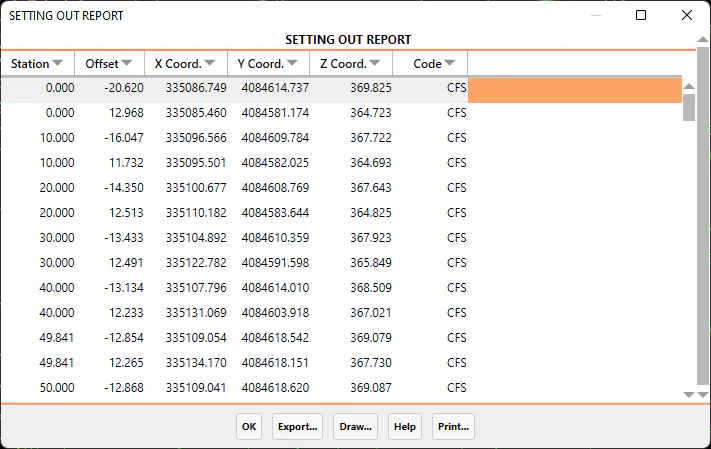
It is possible to export and print the data obtained from the final list, or to Draw Points. A description of each of the options follows:
Export
When the Export option is selected, the program displays a new dialog box with different ways of exporting the data. The dialog box and a description of its characteristics appear below:
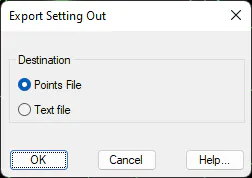
Points file: All the coordinates of all the points on the list are exported to a points file. When the dialog box is validated, the Export Points command is automatically executed. For further details, see the Points section.
Text file: Sends the contents of the list to an ASCII file, so that it can be edited or handled with a word processor.
When this option is selected, the data listed is sent to the printer selected.