tcpMDT
Enter coordinates - MDT25
25.14 Enter Coordinates
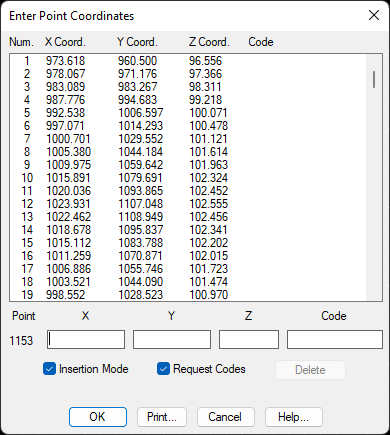
This command is used to input large amounts of point coordinate data. A dialog box is displayed showing the existing points in the survey. The data can start to be entered in the X, Y and Z coordinates and Codes boxes. If one does not wish to enter, the Request Codes box should be deactivated. The points are numbered automatically from the last one.
The program continues on hold for new points as long as the Insertion Mode check box is active. If one wishes to edit the aforementioned point data, this box must be deactivated. Unwanted points can be deleted by clicking the Delete button.
The Print button is used to generate a list of the coordinates.