
tcpMDT
View Attributes Table - MDT26
 | Command to execute in the CAD |
|---|---|
Vertical menu | MDT26 > GIS > View attribute table |
Ribbon menu | GIS > Utilities > View Attribute Table |
Command line |
View Attributes Table
This command displays a table with all the attributes of a selected layer from a drawing generated using the Import GIS command.
Clicking on the header of any column allows sorting the records in ascending or descending order.
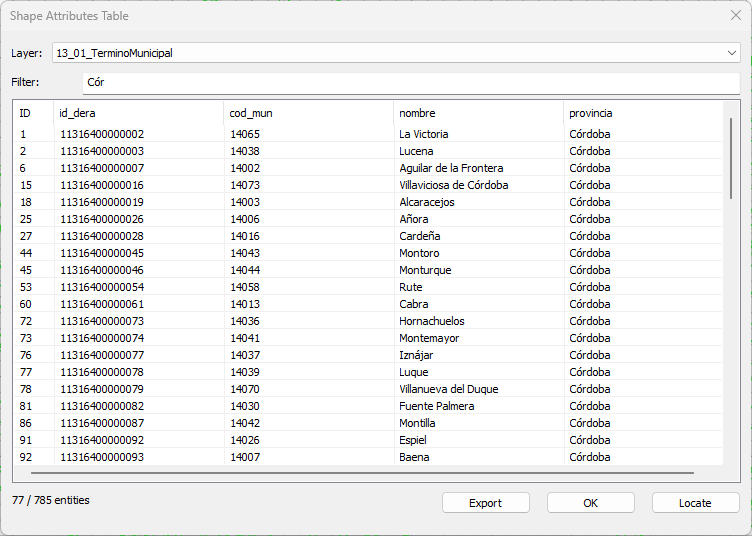
Layer: Dropdown list with all layers with attributes in the drawing.
Filter: As you type a word, the table updates with matching fields from any column containing the typed word.
Export: Allows generating a text or CSV file with the data from the list.
If you double-click a row in the table, the corresponding entity is selected in the drawing.