
tcpMDT
Assignment of Work Units to Entities - MDT26
Assignment of Work Units to Entities
 | Command to execute in the CAD |
|---|---|
Vertical menu | MDT26 > Measurements > Work Units > Assignment of Work Units to Entities |
Ribbon menu | Volumes > Work Units > Assign Work Units |
Command line |
This command will enable us to assign works units to significant entities in the drawing. More specifically, we can assign them to both lines and polylines and to specific blocks.
First of all, the program will ask us for the entity to which the Work Unit is to be assigned and once selected, the following window will appear in which we can select the Works Units. There is also the option of assigning a main unit and several secondary units.
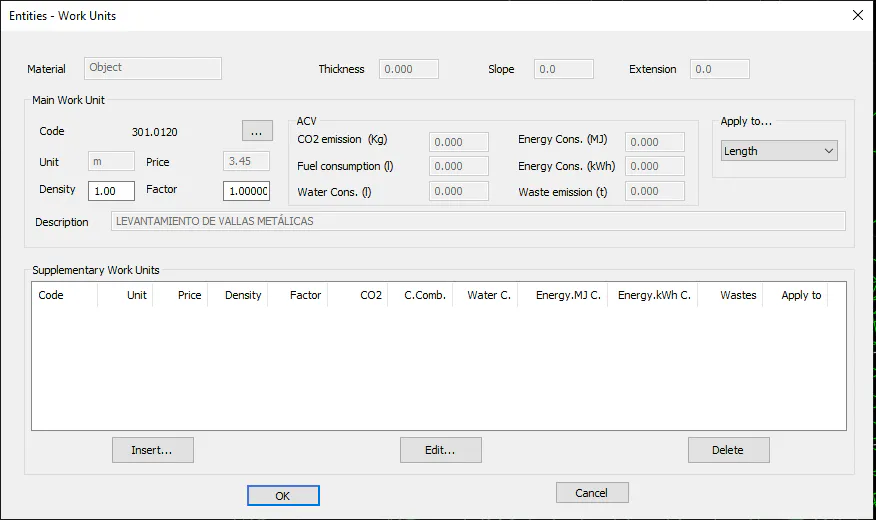
This screenshot illustrates the works unit assigned to an entity, in this case a polyline.
The management of the assignment of works units is detailed in the Sections - Definition of Pavements section.