
tcpMDT
Road Consumption and Emissions Report - MDT26
Road Consumption and Emissions Report
 | Command to execute in the CAD |
|---|---|
Vertical menu | MDT26 > Measurements > Work Units > Road Consumption and Emissions Report |
Ribbon menu | Volumes > Work Units > Consumption &Emmisions |
Command line |
This command, as with the previous command, will provide us with a report on the consumption and emissions of the selected elements.
First of all, we select the elements for which we wish to generate the report, whereupon the following window will appear in which we select the files with the segments, earthworks or entities we wish to include in the calculations and that have assigned pavement layers.
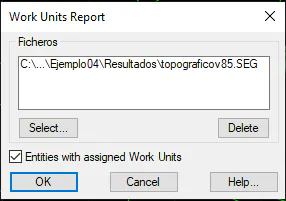
After checking the dialogue box, the following list will appear with the entire report.
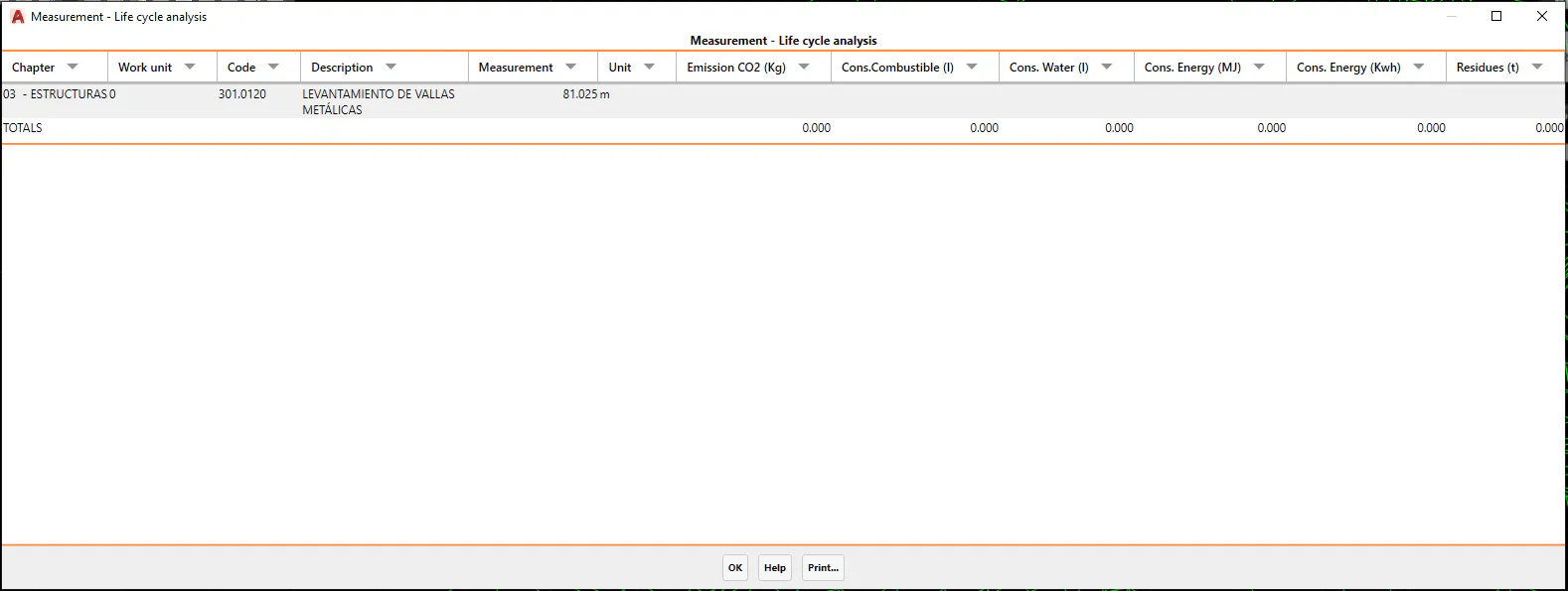
The calculation of the different factors will be shown for each assigned works unit with assigned consumption and emissions.
The calculated measurement resulting from multiplying the geometric measurement by the density and the amount assigned to the works unit in question will be used as a reference.
The factors calculated are:
CO2 emissions: Unit: kilogram.
Fuel consumption: Unit: liter.
Water consumption: Unit: liter.
Energy consumption: Unit: mega joules.
Energy consumption: Unit: Kilowatt / hour.
Waste: Unit: tons.