
tcpMDT
Convert Mesh from Drawing - MDT26
Convert Mesh from Drawing
 | Command to execute in the CAD |
|---|---|
Vertical menu | MDT26 > Meshes > Convert Mesh from Drawing |
Ribbon menu | Meshes > Create > Convert Drawing |
Command line |
A mesh file can be created from a drawing's 3D Face objects by means of this command. The Layer where the objects are drawn has to be specified, as does the File Type to be created.
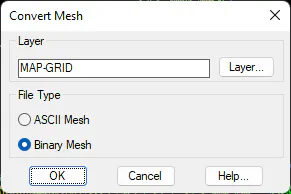
Layer: The layer containing the entities from which the mesh is created.
Type of file: We set the type of mesh file to be generated.
ASCII Mesh
Binary Mesh
To ensure the command works properly, all objects should form squares with the same side length. In addition, adjacent squares should share the same elevation at common vertices.