tcpMDT
Point Observations - MDT26
Point Observations
 | Command to execute in the CAD |
|---|---|
Vertical menu | MDT26 > Surveying > Point Observations |
Ribbon menu | |
Command line |
The Station Calculation dialog box contains information on the instrument set-ups and points read from the current station. One can consult or edit this occupation point's observations by clicking the Point Observations button in the same dialog box.
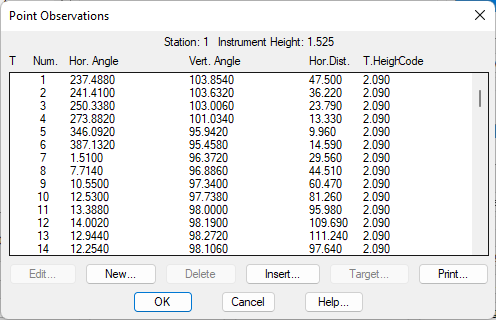
Double clicking a list element or selecting one and clicking the Edit button, allows one to modify any of the data fields that define the point observation. On the other hand, clicking the New button allows one to enter a new point observation if the numbering allows it. The Delete button deletes the file from the survey file.
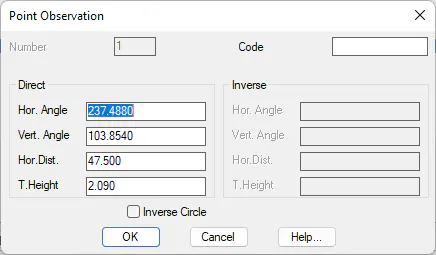
The information displayed for each point observation depends on the configuration set for data input. However, it is always defined by its point Number, which cannot be edited, the Direct and Inverse observations and its Code. The Inverse Circle check box, when activated, allows one to enter the inverse observation data if it exists.
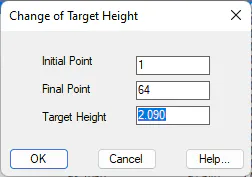
Lastly, the Target button in the point observations list allows one to modify the target height values for a series of points. In order to do this, one simply types in the Initial Point and Final Point numbers and the new Target Height value to be assigned