Support
Configuration of EMLID receivers (ReachView)
Note: this procedure uses the ReachView application, later replaced by EMLID Flow. Kept here as historical reference.
Objective
Configure EMLID receivers using Reach View and start working with TcpGPS Android.
Details
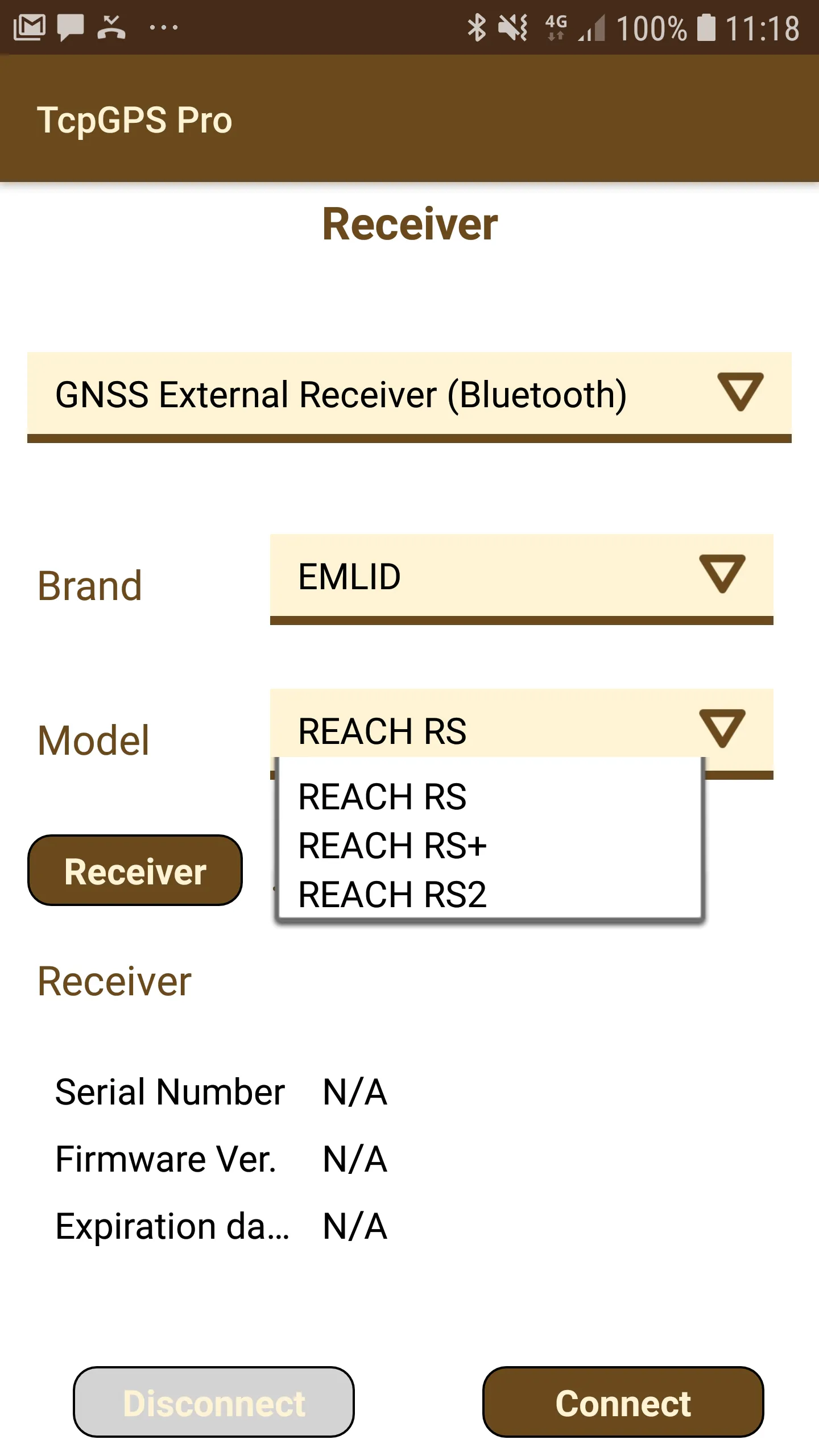
In TcpGPS Android the models REACH RS, REACH RS+ and REACH RS2 are supported. These models can be used once they have been configured through EMLID's software by enabling NMEA output.
EMLID Reach View configuration
This section describes the steps to configure EMLID devices using the Reach View application.
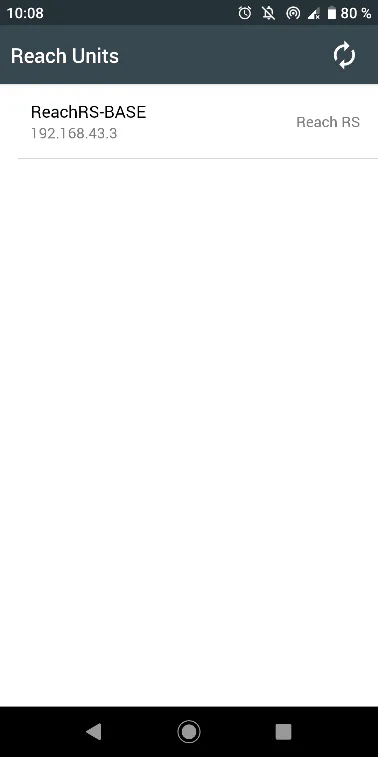
Open the ReachView app and select the EMLID receiver.
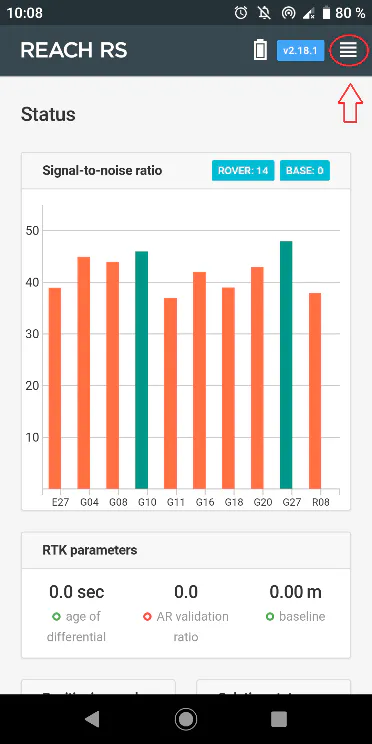
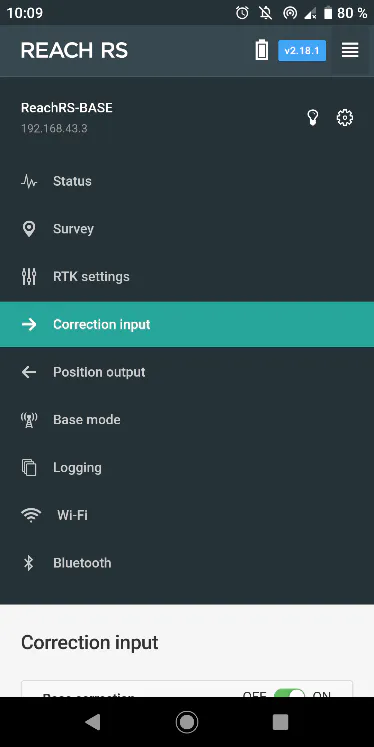
Open the ReachView menu and select Correction Input.
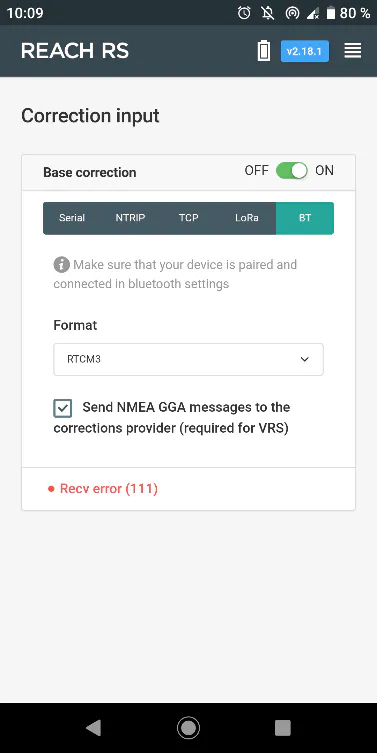
Select the BT option, set the corrections Format of the mountpoint you are going to connect to, and check Send NMEA… if the mountpoint needs it.
Open the ReachView menu and select Position Output.
Select BT, switch on Output 1 and set NMEA as the output Format.
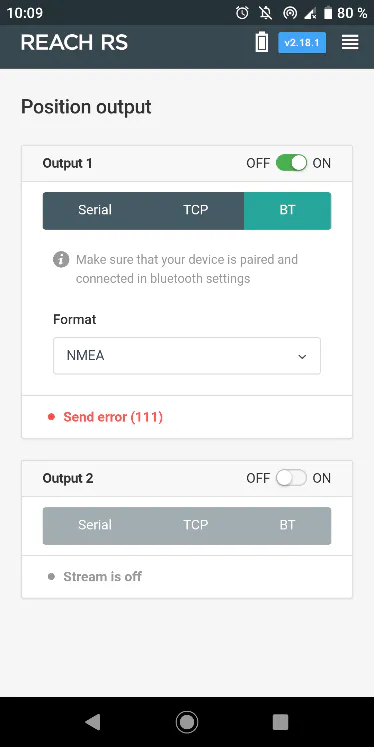
Close the ReachView app and open TcpGPS.
Connection to the EMLID GNSS receiver in TcpGPS
From the receiver assistant at the start of the application, clicking the receiver button, or via Menu > Receiver > Connection on the main screen, the user accesses the section for connecting to a receiver via Bluetooth.
In this screen the user must select the brand (EMLID) and the model to connect to. Then, by clicking the Device button, the Bluetooth search screen is displayed. This screen shows a list of the devices available via Bluetooth, and it can be refreshed by clicking the Search button if the receiver's identifier is not listed.
Rover NTRIP with data collector
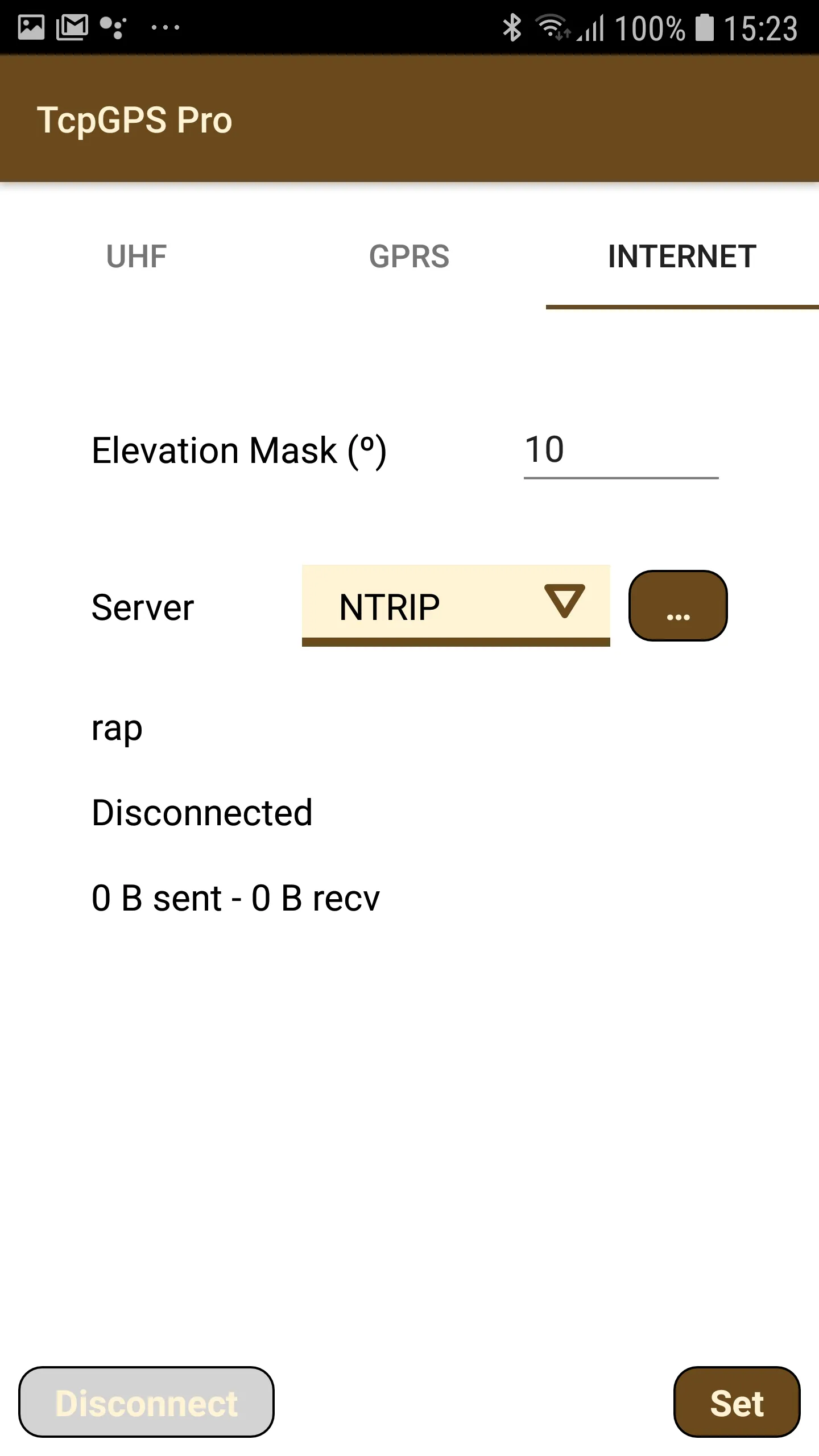
In this case, TcpGPS connects to an NTRIP server and sends the corrections received to the GNSS device.
In this mode, the available parameters are:
Parameter | Description |
|---|---|
Elevation Mask | Value of elevation or zenith angle of the satellites below which they are not used, in sexagesimal degrees. |
Server | NTRIP or iRTK server used as the source of corrections. |
NTRIP server configuration
The Networked Transport of RTCM via Internet Protocol (NTRIP) is a protocol for streaming differential GPS (DGPS) data over the Internet in accordance with the specification published by RTCM. NTRIP is a generic, stateless protocol based on the Hypertext Transfer Protocol HTTP/1.1, enhanced for GNSS data streams.
A dialog lets the user configure an NTRIP server, either by adding a new one by selecting the New option from the list, or by choosing a previously configured server from the same list.
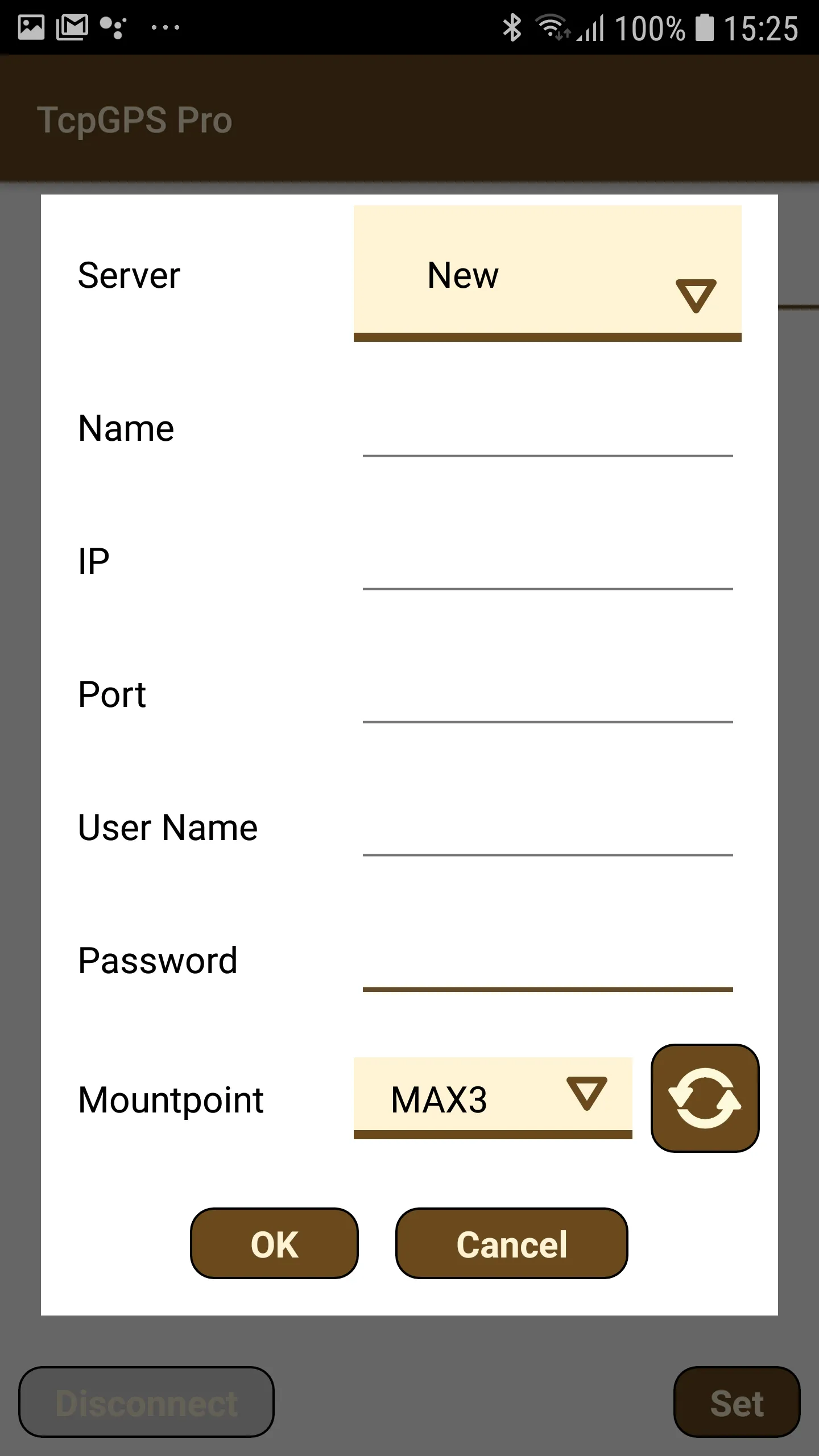
To add a new NTRIP server, the user must enter a name for the server configuration and its data: the IP and port to access the service, and the username and password for identification. Once these details are entered, clicking the refresh button requests the list of mountpoints, which provide different types of corrections depending on their configuration.