
tcpMDT
Check surface - MDT25
4.20 Check Surface
The program changes the color of each triangulation line and assigns it the color code corresponding to the number of times it is repeated. Hence, only the lines of the perimeter triangles (boundaries and islands) are drawn in color 1 (red) and the interior lines should only appear in color 2 (yellow). In this way, it is easy to detect gapped areas in the surface where one cannot calculate terrain elevations and the program is therefore unable, for instance, to generate contour lines.
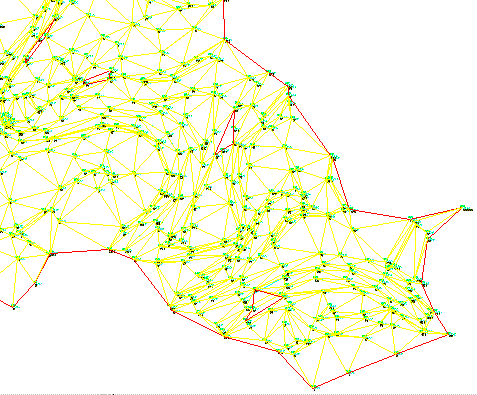
One can see that there are areas in this drawing where the surface is not defined
In order to go back to the surface drawn with normal colors, one can execute the Draw Surface command and mark the Complete and Clear Layer options.