tcpMDT
Elements. Edit - MDT26
Edit
 | Command to execute in the CAD |
|---|---|
Vertical menu | MDT26 > Elements > Edit |
Ribbon menu | |
Command line |
This command permits road element parameters to be modified, whether or not they belong to an alignment. In the cases of straight lines and circular curves, modifications may also be made directly with CAD commands. However, it should be remembered that if the road design element is grouped together with others, CAD will not modify the position of the group's other elements. To modify clothoid values (radii, length or parameter), it is obligatory to use this command. CAD may, however, be used to change origin or orientation.
The program requests the element to be edited to be selected. Once selected, a dialog box appears giving a list of the whole group if it is grouped together with other elements. The line corresponding to the element selected is highlighted. It is also possible to select a horizontal alignment.
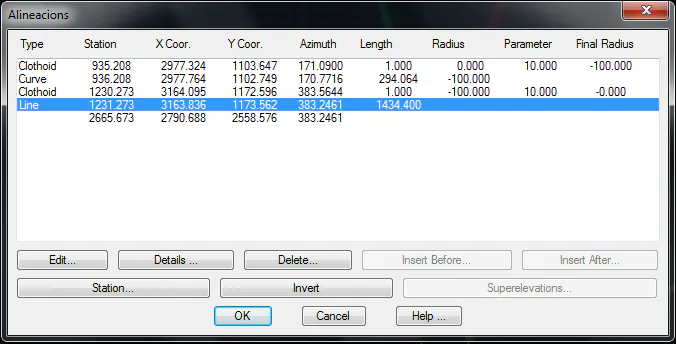
Edit: Displays a window where the road design element selected can be modified. The dialog box depends on whether it is a straight line, a curve or a clothoid.
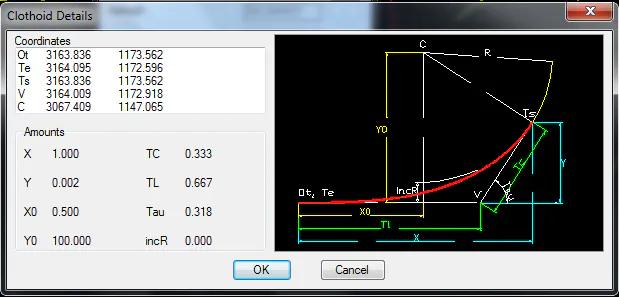
Details: Displays a screen with additional parameters that can be obtained from the road design element.
Delete: Deletes the elements selected and adjusts the subsequent alignments, so that the whole group maintains its continuity.
Station: This is used to change the selected element's Station. The corresponding Stations of the other group elements will be automatically modified.
Should the selected element not be grouped, the edit element window is automatically opened.
Edit Line
The program displays a dialog box containing the following information, which can be edited.
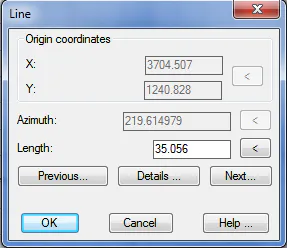
Apply: Temporarily hides the dialog box and redraws the element, showing any changes made. By clicking the screen with the mouse, the dialog box is displayed again.
Details: Shows a screen containing additional data about the element.
Invert: Takes the other end of the element as the origin. The origin and azimuth coordinates are changed.
If the element being edited is grouped, the window will display two additional buttons: Previous and Next, to edit the other elements. Additionally, some of the edit fields may appear as disabled and the Invert button may not be shown, depending on location within the alignment.
Edit Circular Curve
The program displays a dialog box containing the following information, which can be edited.
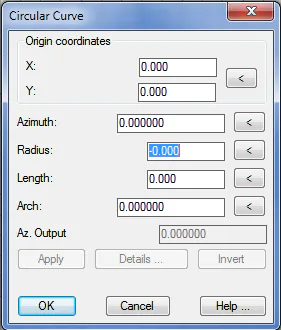
Azimuth: Orientation of the curve at its initial point. If modified, the remaining parameters will not be altered except for Exit Az.
Radius: The sign indicates whether it is a curve rotating towards the left (negative sign) or the right (positive sign). When the value of the radius is edited, length is automatically modified, while the arch is maintained.
Length: Distance travelled by the curve's development. When edited, the arch is automatically modified, while the radius is maintained.
Arch: Angle described by the curve's development. When edited, length is automatically modified, while the radius is maintained.
Az. Output: Orientation of the curve at the end point.
The Apply, Details, and Invert buttons behave as in Edit Line.
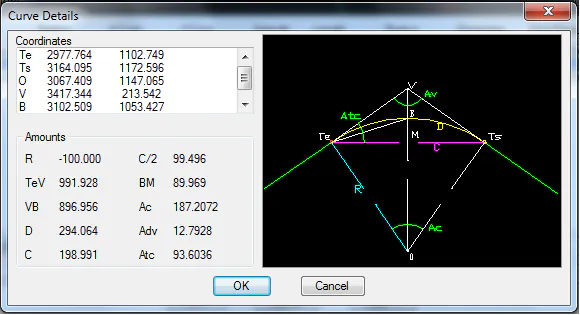
Edit Clothoid
The program displays a dialog box containing the following information, which can be edited.
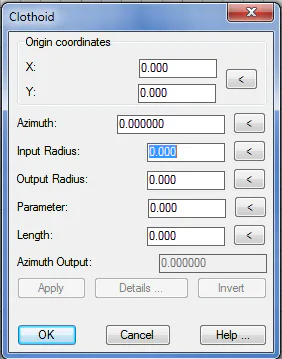
Azimuth: Orientation of the clothoid at its initial point. If modified, the remaining parameters will not be altered, except for Output Azimuth.
Input Radius: Radius of the clothoid at its initial point. The sign indicates whether it is a clothoid rotating towards the left (negative sign) or the right (positive sign). When the value of the radius is edited, length is automatically modified while the parameter is maintained
Output Radius: Radius of the clothoid at its end point. The sign will be the same as the entry radius. When the value of the radius is edited, length is automatically modified while the parameter is maintained
Length: Distance travelled by the clothoid's development. When edited, the parameter is automatically modified, while the entry and exit radii are maintained.
Parameter: Value which controls the clothoid's curvature. When edited, length is automatically modified, while the entry and exit radii are maintained.
Output Azimuth: Orientation of the clothoid at the end point.
The Apply, Details, and Invert buttons behave as in Edit Line commands.
.