tcpMDT
Create Mesh with the difference of two surafaces
Create Mesh with the difference of two surafaces
 | Command to execute in the CAD |
|---|---|
Vertical menu | MDT26 > Meshes > Create Mesh with the difference of two Surfaces |
Ribbon menu | |
Command line |
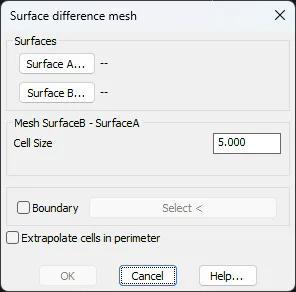
The Surface difference mesh command generates a mesh of elevation points representing the altimetric difference between two surfaces in the project. The user must select Surface A and Surface B, and the computed result is SurfaceB − SurfaceA. The Cell Size parameter defines the grid spacing of the resulting mesh. Optionally, enabling the Boundary checkbox allows the user to designate a boundary polygon to restrict the calculation area. The Extrapolate cells in perimeter option estimates values for edge cells that fall outside the common area of both surfaces