
tcpMDT
Mcp assistant - MDT26
22. Artificial Intelligence — MCP Assistant
tcpMDT 2026 includes integration with artificial intelligence assistants through the MCP (Model Context Protocol). This integration allows MDT to be operated using natural language: the user describes in the assistant chat what they need to do and the assistant directly executes the commands on the active CAD drawing, without opening any dialogs or remembering menu paths.
The assistant acts as an expert operator familiar with MDT tools. The user can ask it to create surfaces, generate contours, calculate volumes, draw longitudinal profiles or manage plots with a simple text instruction. For the full reference on the assistant's capabilities, see the Artificial Intelligence section of the Reference Manual.
The MCP functionality is provided as a beta feature. It may therefore be subject to evolution, changes, limitations, restrictions of use or withdrawal, and its availability or definitive operation in future versions is not guaranteed. Its use is subject to the specific conditions applicable to beta features set out in the Software Licence Agreement.
This chapter presents two complete workflows based on the same sample drawing, so the reader can see first-hand the productivity gains the assistant offers compared to the traditional workflow.
Sample files
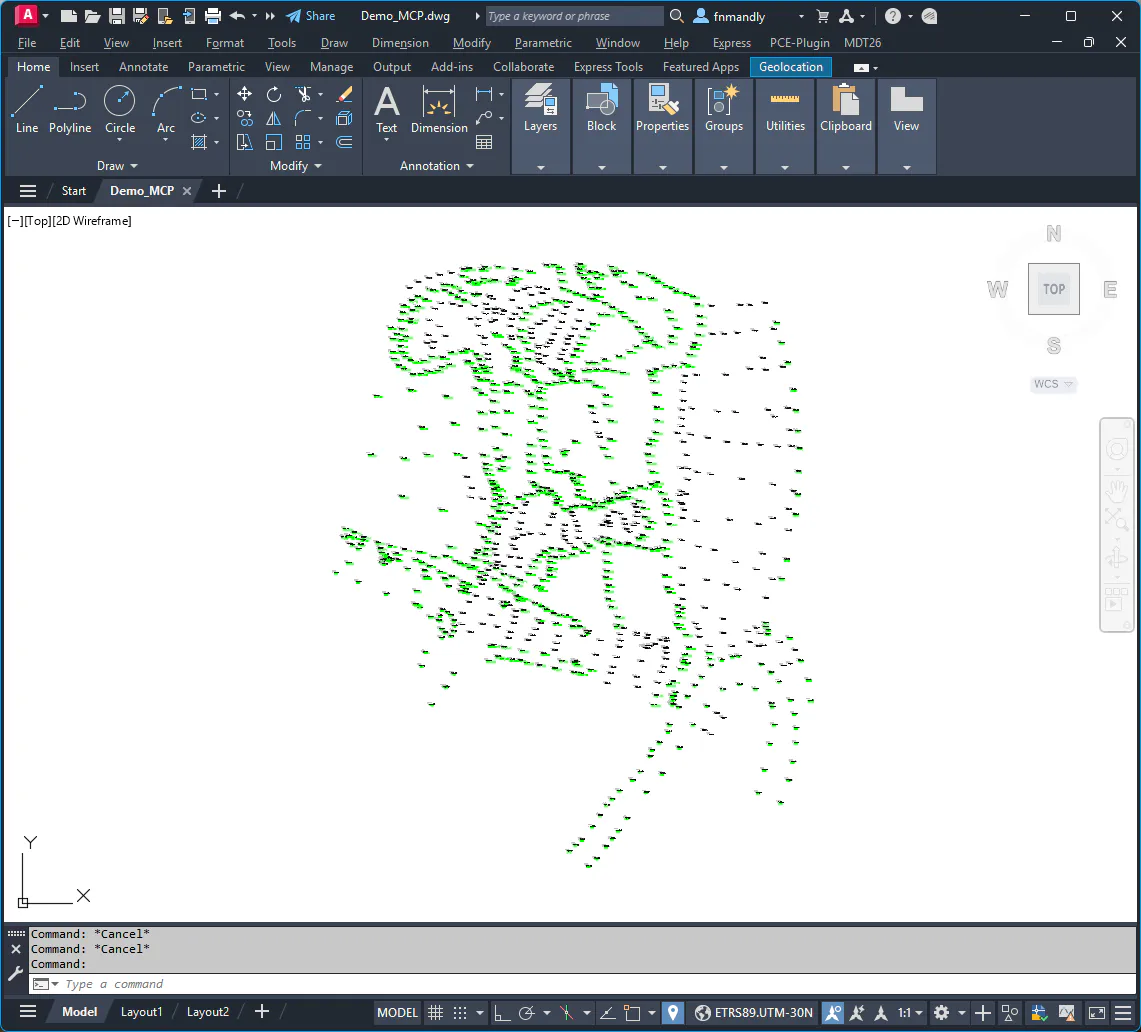
The exercises in this chapter use the file Demo_MCP.dwg, located in the C:\MDT26_Projects\Tutorial22\ directory. This drawing uses the ETRS89-UTM 30N projection and contains a cloud of 996 topographic points with elevations between 135 m and 174 m, spread over an area of approximately 2 ha. The points have been assigned different codes.
Chapter contents
Section | Description |
|---|---|
02 | Opening the assistant and verifying the connection with MDT |
03 | Drawing exploration and point code query |
04 | TIN surface creation with and without breaklines |
05 | Contour generation and surface information |
06 | (PRO) Earthwork for a platform |
07 | Plots management |
Screenshots were captured in Claude Desktop with the Sonnet 4.6 model. Actual results may vary, as responses are non-deterministic and depend on the model chosen, software version, configuration, preferences and other factors.