tcpMDT
Plots with mcp - MDT26
Plot Exploration
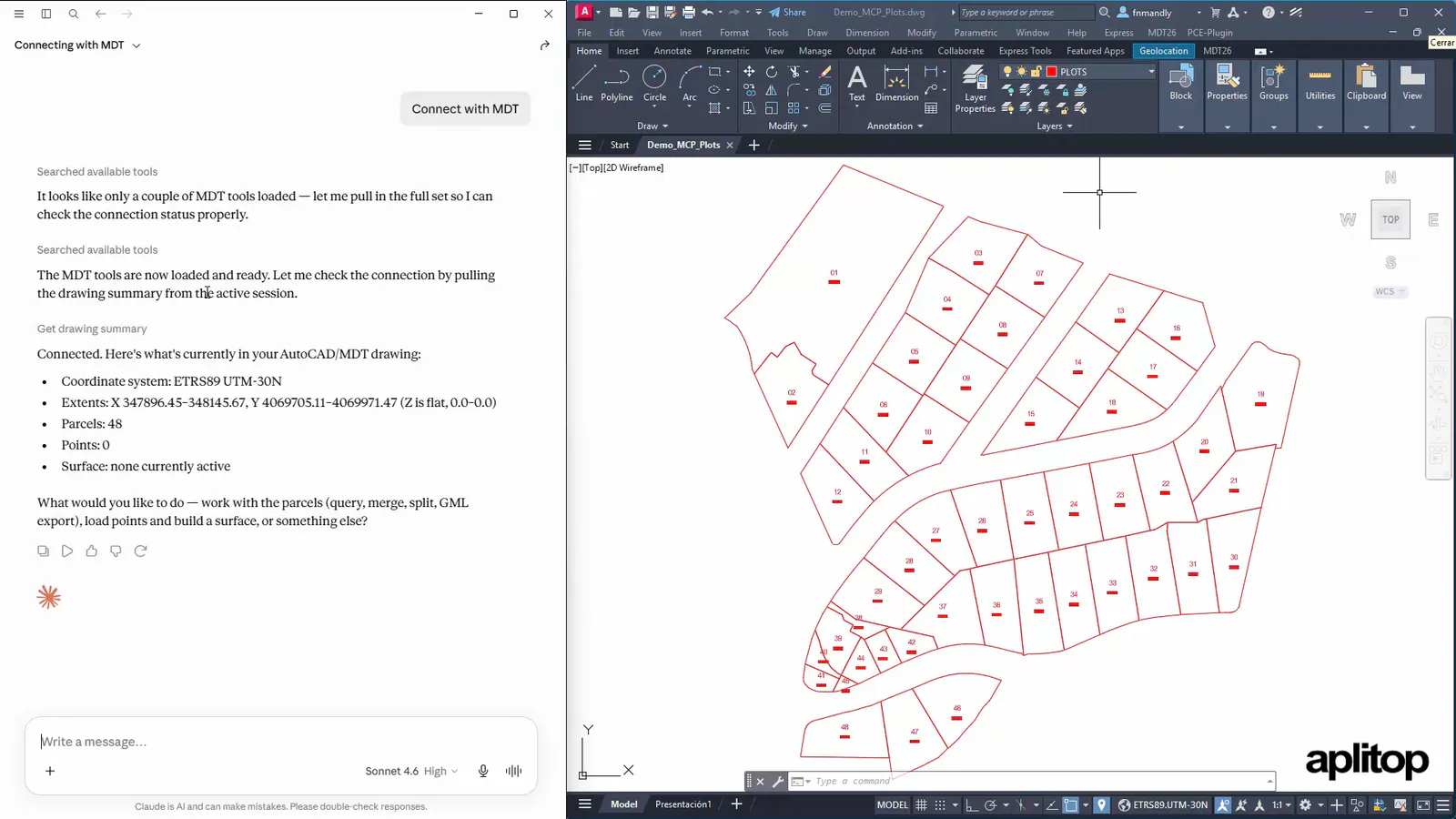
Open the drawing Demo_MCP_Plots.dwg with CAD, and connect with MCP so it provides details about the file.
Connect with MDT
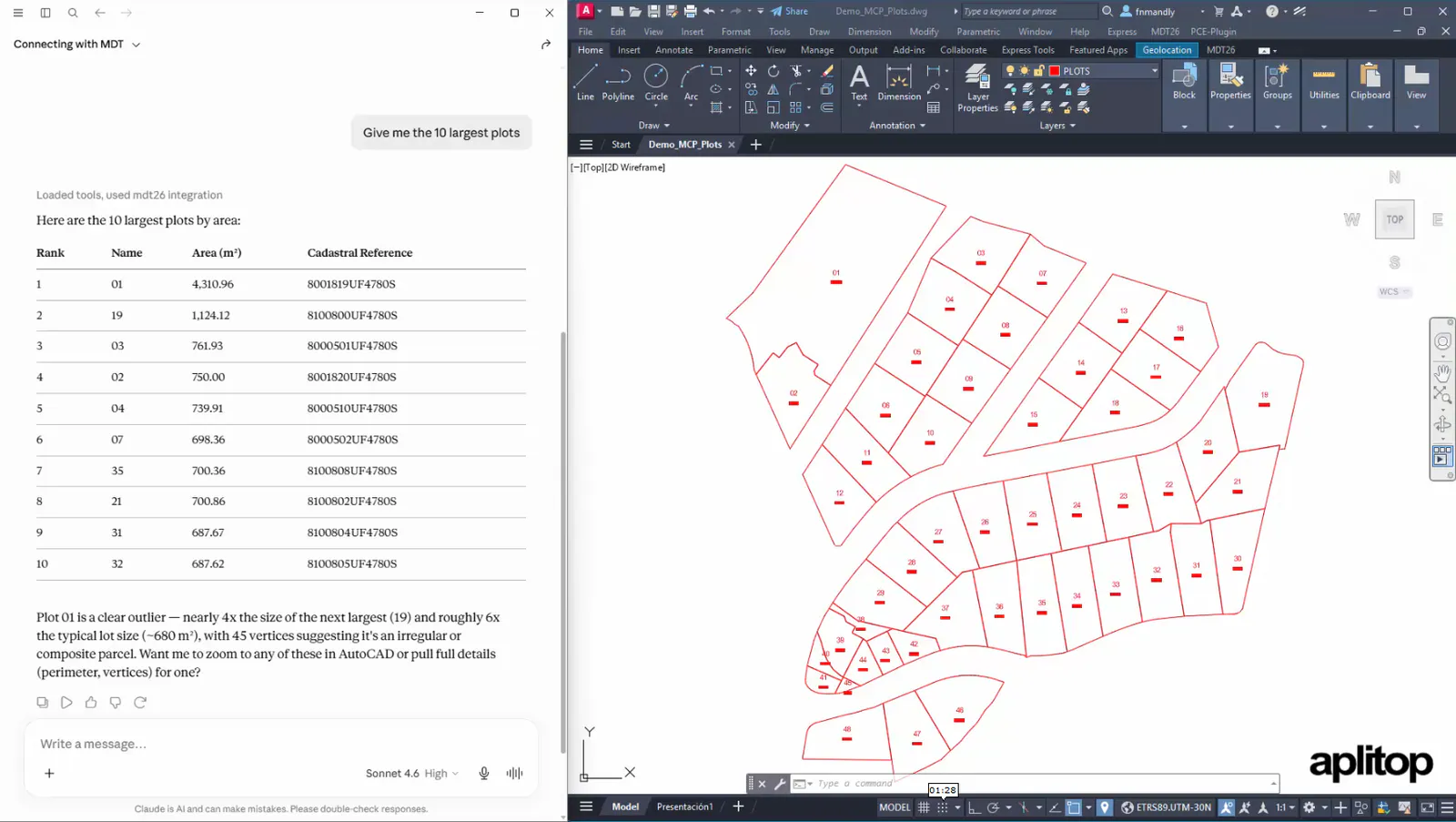
Next, we can check the area of the plots.
Give me the 10 largest plots
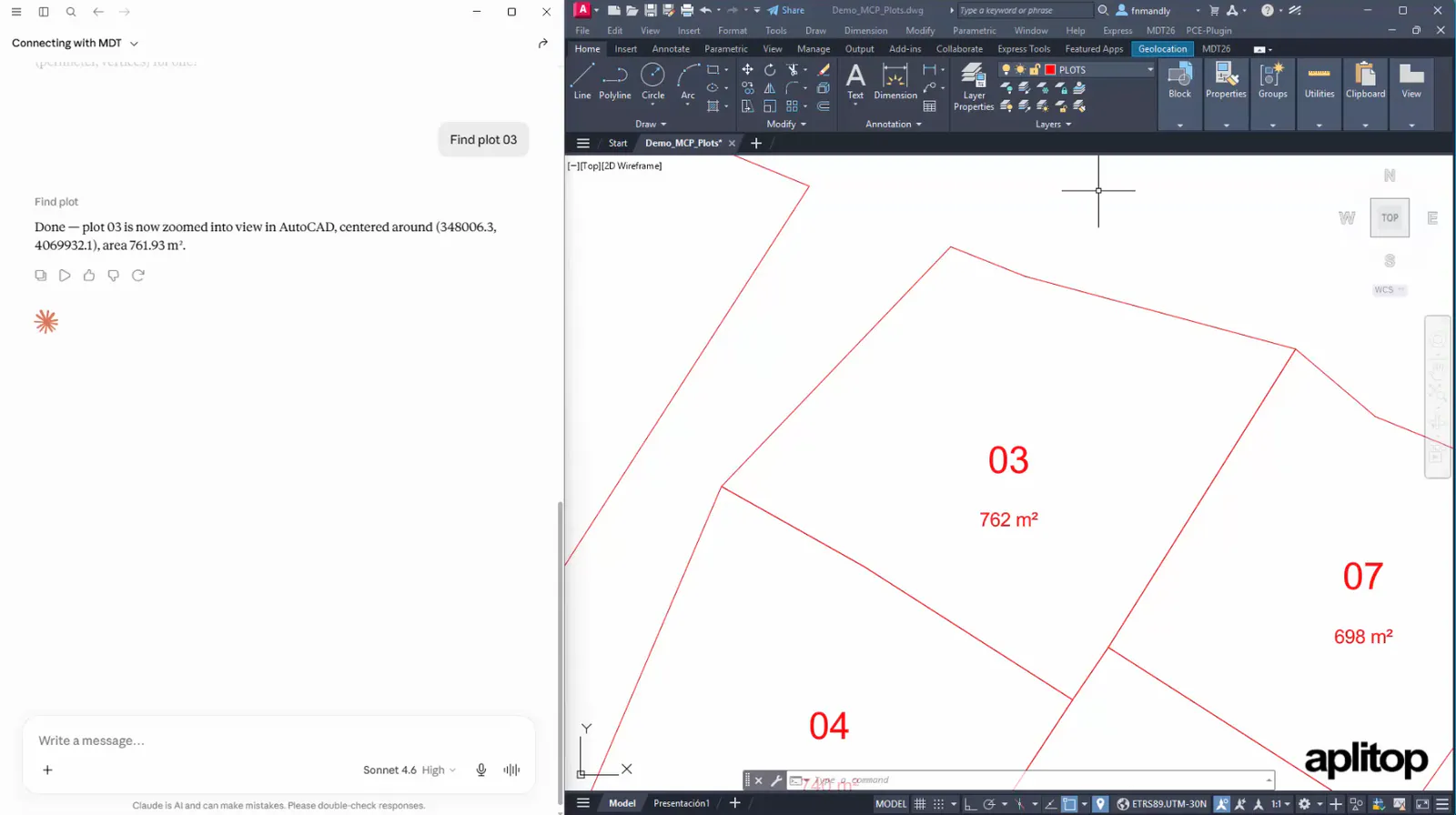
Next, we can locate one of them.
Find plot 03
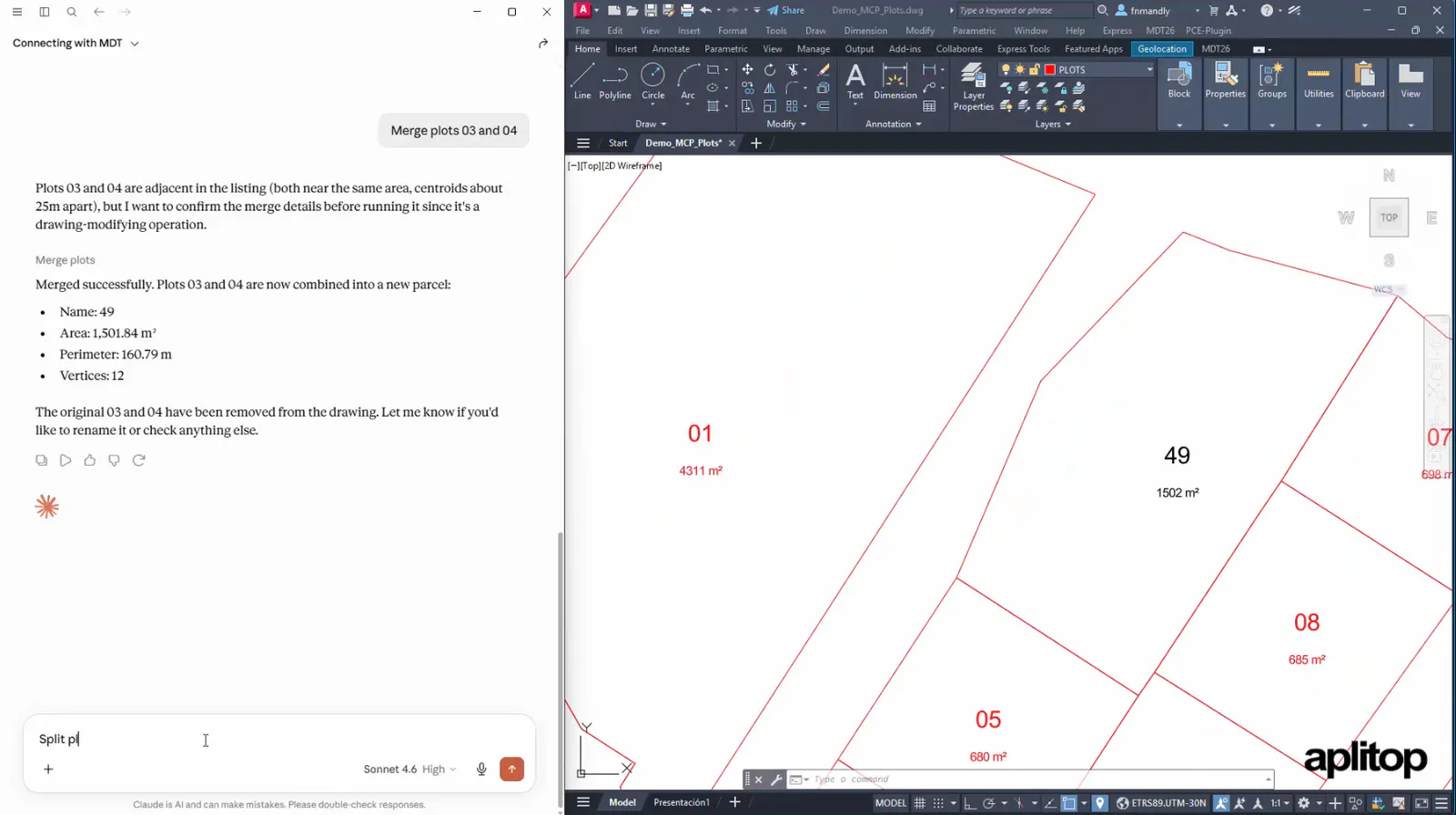
We can also perform merge or split operations.
Merge plots 03 and 04
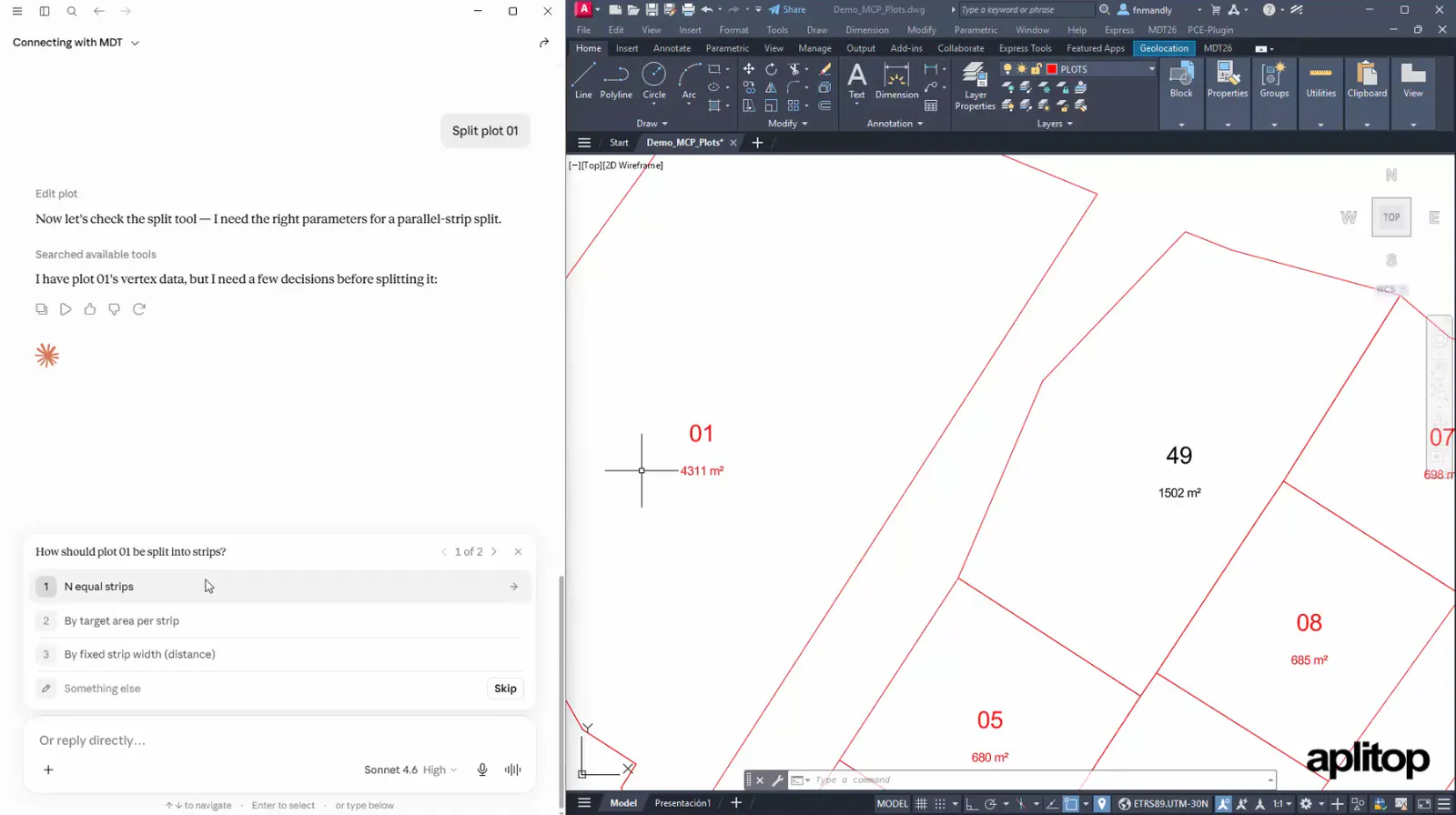
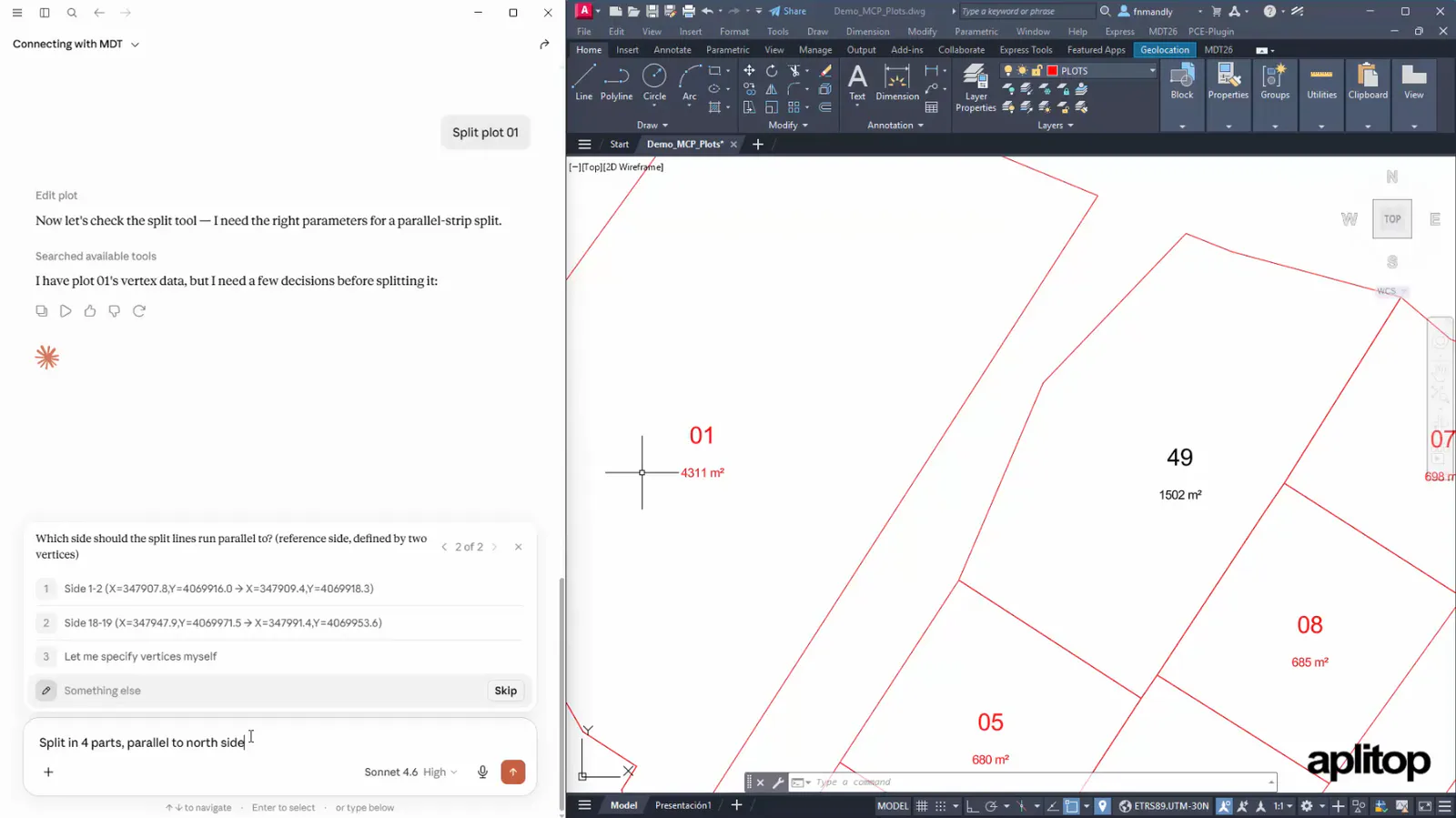
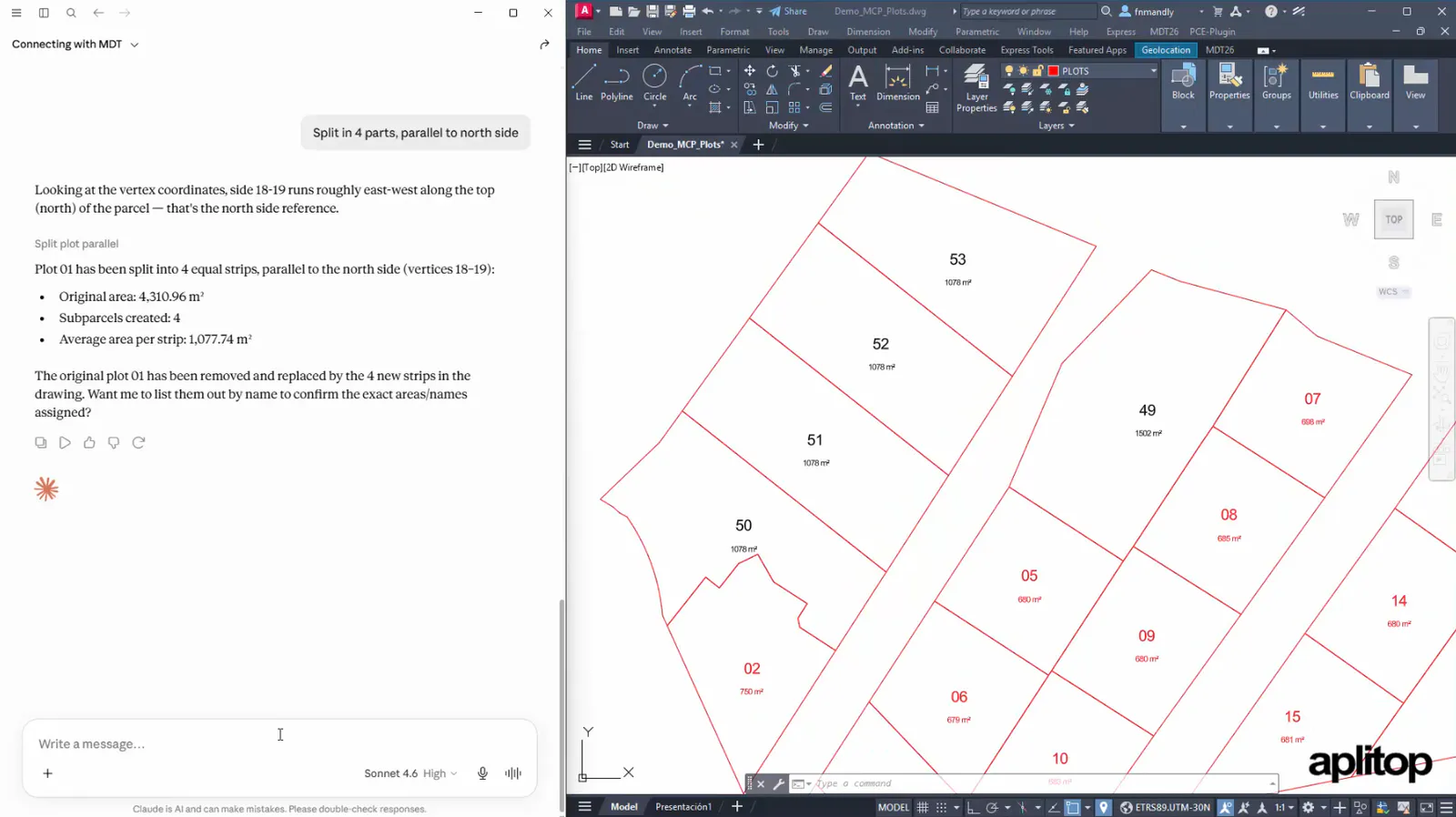
It is also possible to split a plot by various criteria. If we do not specify them, the assistant will ask the necessary questions.
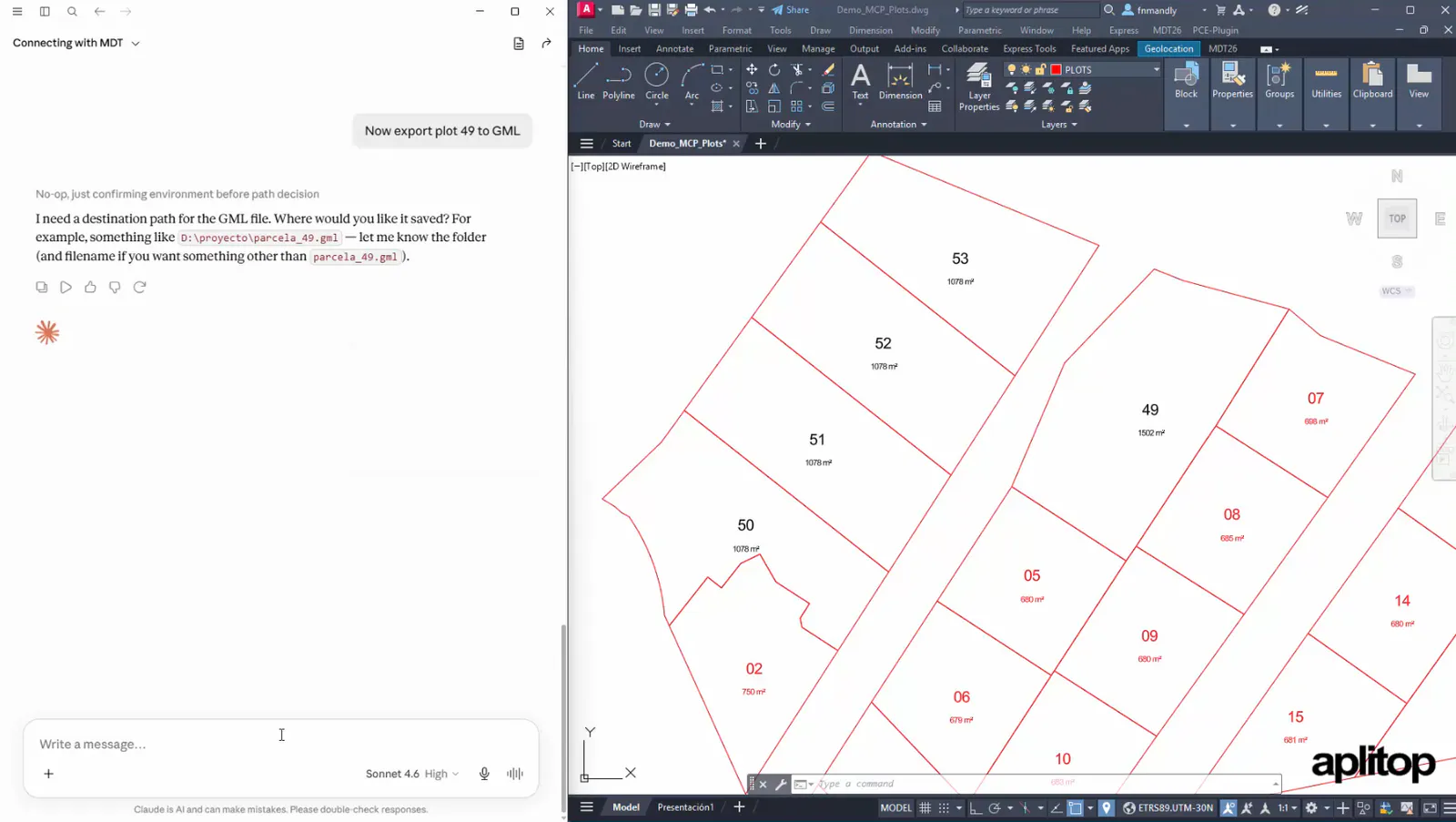
Finally, it is also possible to export a plot to standard GML format, indicating the location of the file to be created.