
tcpScancyr
Cross sections filters - TNSB3
10.10 Cross Sections Filters
When you view an individual cross sections you can see if it has errors because the cross sections has points that should be marked as filtered. Instead of going to the points cloud containing the cross sections, eliminating the points and recalculating the cross sections, you may access the selection filters, using the corresponding toolbar. The difference is that the cross section will be recalculated automatically by eliminating and including points.
Here you can see a faulty cross section because there were points which should have been filtered. The points correspond to the roof of a van that was close to the scanner.
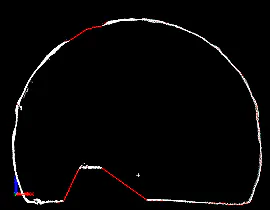
Figure 38 - Cross Section with errors
Click on "Select" in the "Cross Sections -> Filter" window, and draw a selection box on the points that damage the cross section.
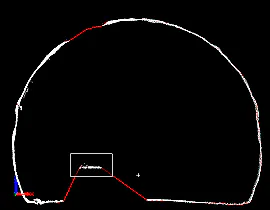
Figure 39 - Selecting the points to be eliminated
A sample of points marked.
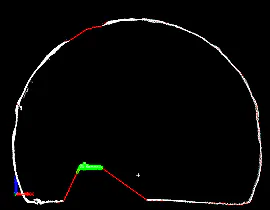
Figure 40 - The selected points appear marked in green
Click on "Delete" and mark the point as filtered by selection. The cross section will be automatically recalculated. As you can see in the image, the cross section is now correct.
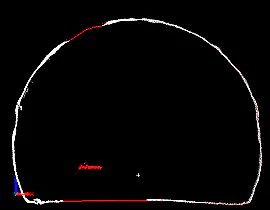
Figure 41 - After deleting the points