
tcpScancyr
Parallel cross sections - TNSB3
10.5 Parallel Cross Sections
If you need to create cross sections which are parallel to those from a project, use the menu "Cross Sections -> Parallel Cross Sections".
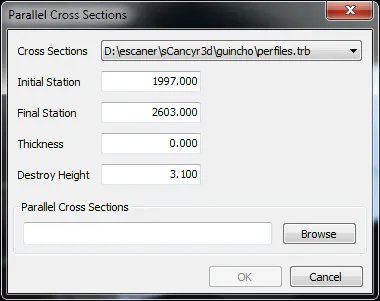
Figure 34 -Calculation of Parallel cross sections
First select the input file (which must belong to the project) and the station range where you wish to calculate the parallel cross sections, using the field "Thickness". To indicate the distance from the parallel cross sections, use a positive value to move the cross sections outside and a negative value to move it inside.
With the bench cut value you may cut the cross sections at a height relative to the gradient, always keeping the upper part of the cross sections resulting from the cut.
Finally you should add an output file allowing the application to create parallel cross sections. This file will automatically be added to the project.