
tcpScancyr
Exporting cross sections - TNSB3
10.12 Exporting Cross Sections
You can export cross sections in 2D to MDT (*.TRA) file format, or as a points file with the coordinates of each vertex in the 3D.
This command exports cross sections as cross-section files compatible with MDT (*.TRA). First, you will be asked for a station range in order to be able to export the cross sections within the range.
Access is via the "Cross Sections -> Export Cross Sections..." menu.
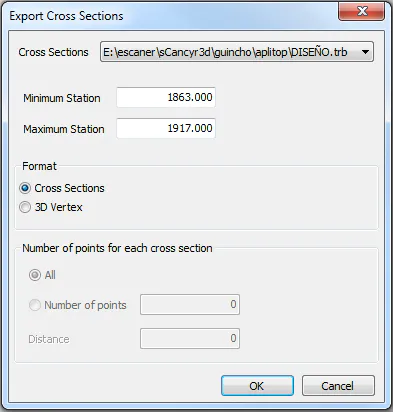
Figure 42 - Window for export cross sections
[TcpScancyr Advanced] There are two types of exporting 3D Vertex from the cross section. If you check "All", the program will export all the points contained in the polyline. If you check "Number of points", you will choose the number of points that you want to export. These points will be calculated with the intersection of the cross section and radial lines from the center.