
tcpScancyr
Cross sections options - TNSB3
10.8 Cross Sections Options
Features options for the selected cross sections.
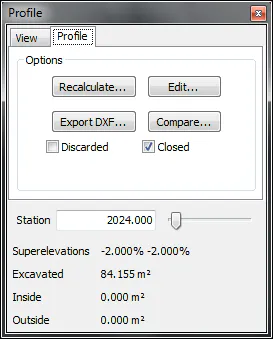
Figure 37 - Options for the selected Cross Section
Station: The cross section that is being viewed can be changed by writing its station or by dragging the scroll bar.
Recalculate: If you see a poorly defined cross section, you may click on this icon, to open a dialog box which will allow you to recalculate using a greater bandwidth.
Edit: If you have not cleaned up the points cloud, the cross section may appear with false peaks or segments. By clicking on this button you will be able to access the cross section editor.
Export DXF: Access the dialog box in order to export one or more cross sections.
Discarded: The cross sections that are marked as discarded are not considered when calculating volume, alignment deviations, exporting cross section etc.