tcpMDT
Add Vertices - MDT26
Add Vertices
 | Command to execute in the CAD |
|---|---|
Vertical menu | MDT26 > Contour Lines/Mapping > Add Vertices |
Ribbon menu | Contours > Edit > Add Vertices |
Command line |
This command allows one to insert intermediate vertices on a polyline. To begin with, the program requests the polyline to be modified. MDT will search for the vertices nearest to the point selected and then, if the mouse is moved, two elastic lines will appear emerging from the two nearest points in order to situate the new point at the desired coordinates.
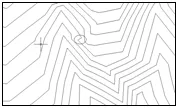
An example of this command in operation is shown below. Before adding the vertex:
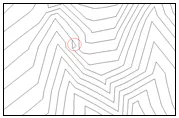
After adding the vertex: