
tcpMDT
Create Contour Lines at Special Elevations - MDT26
Create Contour Lines at Special Elevations
 | Command to execute in the CAD |
|---|---|
Vertical menu | MDT26 > Contour Lines/Mapping > Create Contour Lines at Special Elevations |
Ribbon menu | Contours > Drawing > Special Elevation |
Command line |
This command allows contours passing through specific elevations to be obtained. In order do so, the following window is displayed:
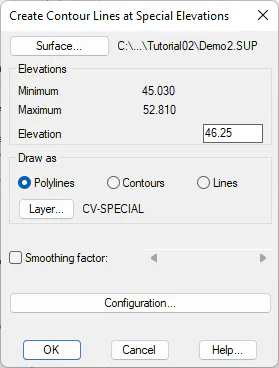
The options are identical to those of the Create Contour Lines Lines
~{1><1}~ command, except in this case only one contour elevation to create is specified, instead of an interval. The command functions in an iterative manner. In other words, once the special contour has been generated, the command is executed again in order to indicate another special contour. This process is repeated until the Cancel button is clicked.