tcpMDT
Change elevation - MDT25
2.23 Change Elevation
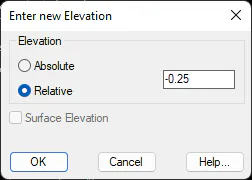
This command allows one to change the elevation of a set of points. After selecting the points desired, one can either set an Absolute elevation for all the points or adjust them vertically using the Relative option by entering a value with a sign. Should the drawing have an active surface, the possibility of assigning the each of the points with the surface elevation also exists. When a point is modified in this way, neither an absolute nor a relative elevation is assigned.