
tcpMDT
Filter points - MDT25
2.34 Filter Points
This utility allows one to delete points, or change layer of points, that are close to each other. The program requests the Minimum Distance that should exist between the points. Hence, any points that are at a lower distance than the one specified to another point are filtered. With the option 3D distance, the user can select whether to include the point elevation in the calculation, and the Check button is used to check the result of applying the filter.
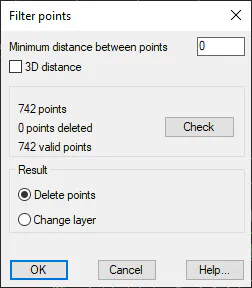
In the Result section, you can choose to delete the points, or change their layer. If the latter option is enabled, the program then asks target layer for filtered points.