tcpMDT
[PRO] quick view from long section - MDT25
13.8 [PRO] Quick view from Long Section

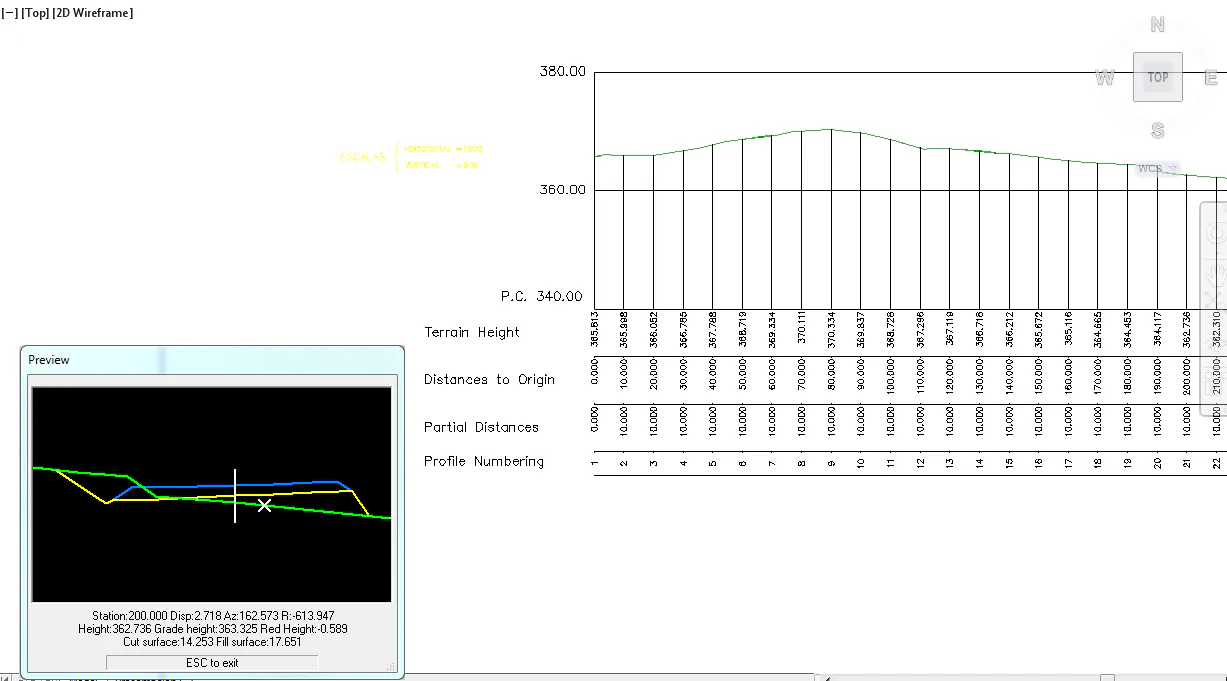
This command is very similar to the previous one, except that it works with a previously drawn long section. With the command Draw compound profile first draw the long section with the associated vertical alignment and then execute the command.
It will request the segment and on-screen designation of the drawn profile. Once it is designated a floating window will appear showing a cut of the section in front view according to the station where the point on the long section is selected.
Moving the cursor along the profile checks how the section automatically changes in front view according to the station at which it is projected.