tcpMDT
[PRO] Geology - MDT26
Geology
 | Command to execute in the CAD |
|---|---|
Vertical menu | MDT26 > Measurements > Volumes > Geology |
Ribbon menu | Volumes > Road > Geology |
Command line |
In this case, MDT will provide a complete volumes list from a segment.
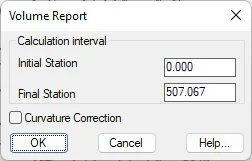
The program initially requests the segment, as well as the initial and final stations on the list and gives the option to apply the curvature correction, in this last case.
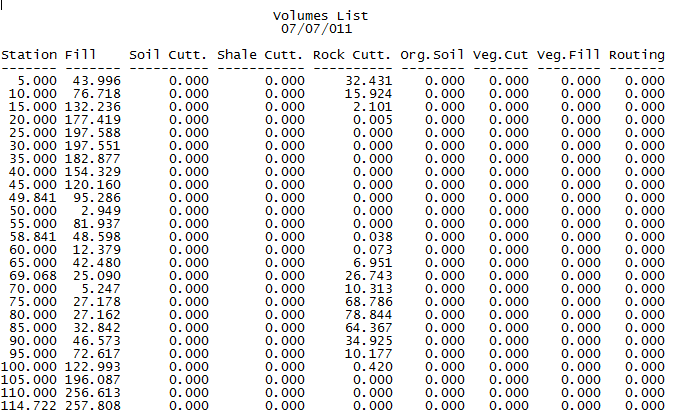
Next it will display a list with the following characteristics:
Station: Station analyzed.
Fill: Fill volume.
Soil. Cut: Cut volume of geological Soil layer.
Shale. Cut: Cut volume of geological Shale layer.
Rock. Cut: Cut volume of geological Rock layer.
Org. Soil: Volume of Organic Soil.
Veg. Cut.: Volume of Organic Soil in cut.
Veg. Fill.: Volume of Organic Soil in fill.
Routing: Volume of routing defined in the section.
The following is a list resulting from executing the command.
Lastly, the totals obtained from the volume calculations are displayed. The possibility also exists of printing its contents or exporting them to an Excel spreadsheet.