
tcpMDT
Assigning properties to individual instances - MDT26
19.6 Assigning Properties to Individual Instances
The property values configured so far apply to all objects of the same MDT type. v26 also introduces the ability to override the value of a property for a specific object, without modifying the global value of the type.
In this case, we will assign a specific name to the project's surface to distinguish it from other objects. We will use the new command BIM > Assign Properties to Object… to assign it only to this file.
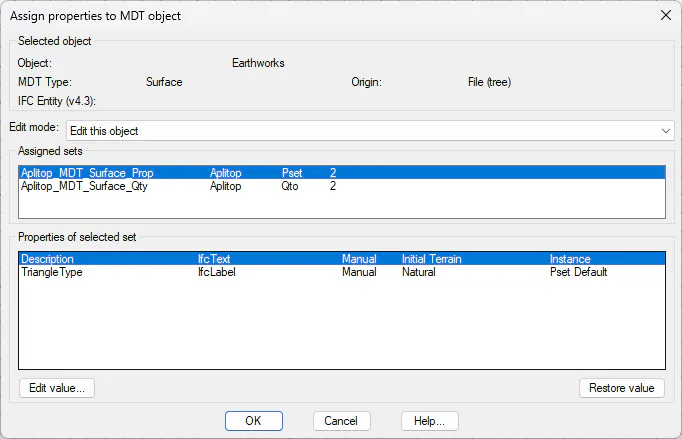
Run BIM > Assign Properties to Object…. Select Earthworks.sup.
In the dialog, select the set Aplitop_MDT_Surface_Prop. Locate the property Description.
Click Edit Value… and enter Initial Terrain. The Source column changes to "Instance". Click OK. The override is recorded in <project>/BIM/instance_overrides.xml.
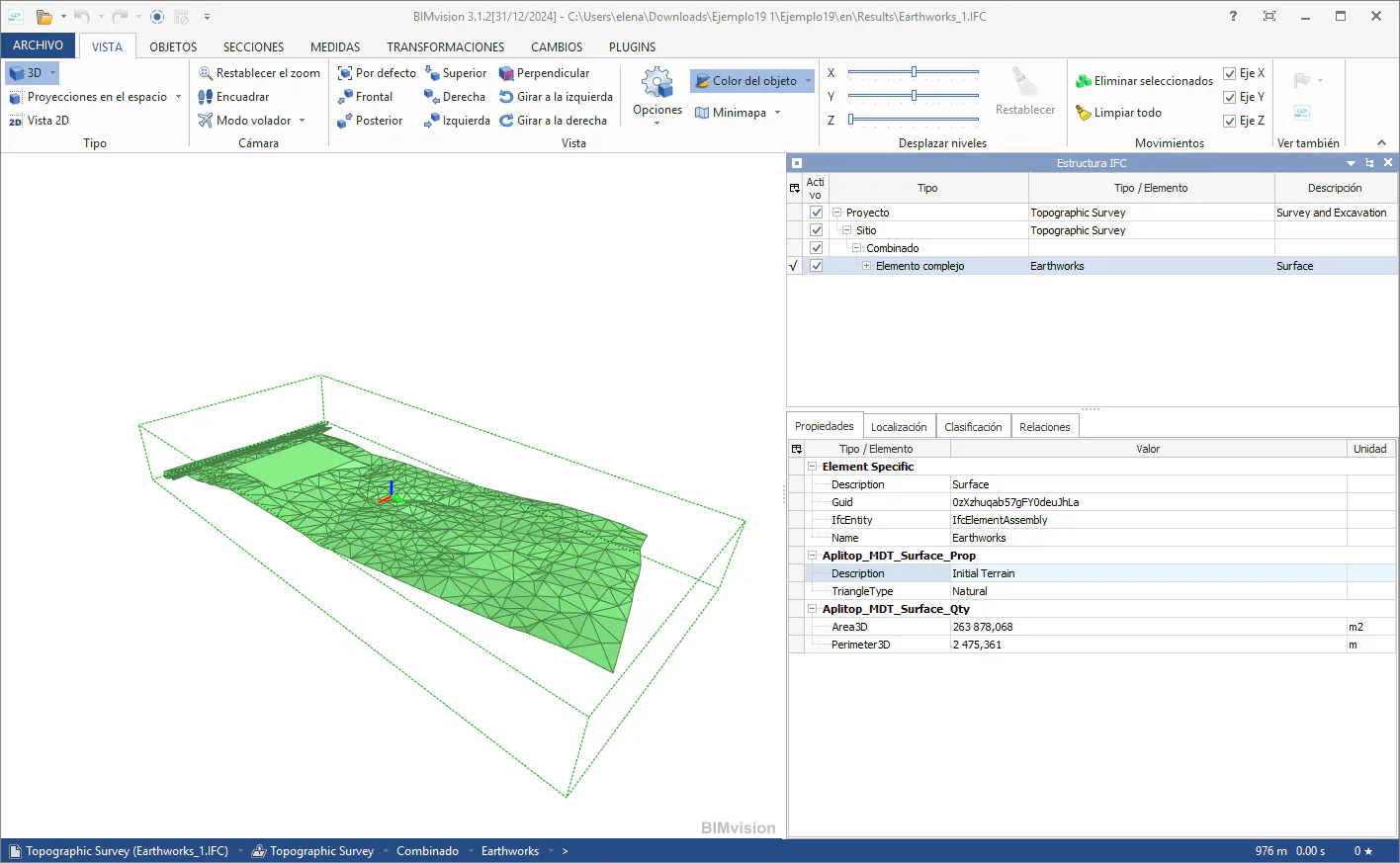
Repeat the export (steps 9-12) and reopen the IFC in BIM Vision. In the complex element Earthworks, in the PropertySet Aplitop_MDT_Surface_Prop, check that Description shows “Initial Terrain”.
NOTE: The "Edit this object" mode acts only on the selected object. The dialog also offers "Edit all objects of the type" (equivalent to modifying the value in dialog 3B) and "Edit only selected objects", useful when multiple objects have been preselected in the drawing.