tcpMDT
Creating cross sections - MDT26
8.4 Creating Cross-Sections
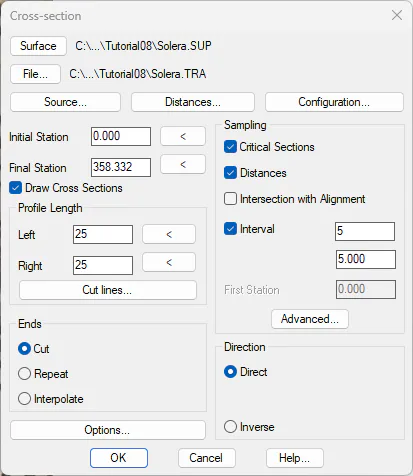
Likewise, to obtain cross-sections, we run the command Cross-Sections> Create Cross-Sections (or Cross-Sections> Create> Create Cross-Sections). By default, cross sections will be saved in the solera.TRA file, in the same folder of the current project. Set as Interval 5 and as Distance to Left and Right 25. Check the Unique Points box. Check the Draw Cross Sections box.
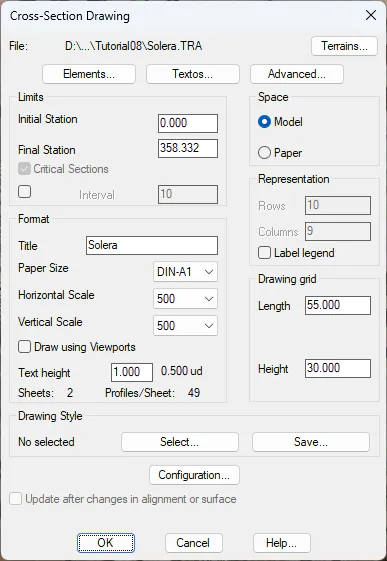
Then, the command to draw cross sections will run automatically. Specify as parameters DIN-A1 format, horizontal and vertical scale 500 and Paper space. When validating the dialog box, the profiles will be drawn in the paper space presentations of the current drawing.