tcpMDT
Defining widenings - MDT26
8.7 Defining Widenings
Finally, we will define the widenings associated with the road we are defining. Hence, we run the command Roads/Segments> Widenings> Generate Widenings (or Roads> Widenings> Generate). The command will request the alignment and automatically generate a file of widenings according to the selected Category. In this case, we will select the regulations that appear in the following image, we will assign the name proposed by the program by default, solera.SOB.
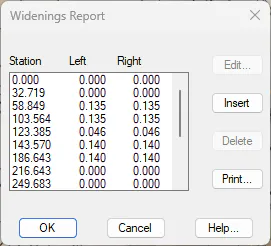
We can visualize the width information. Thus, we run the command Roads/Segments > Widenings > Widenings Report (or Roads> Widenings> List) and select the previously generated file.
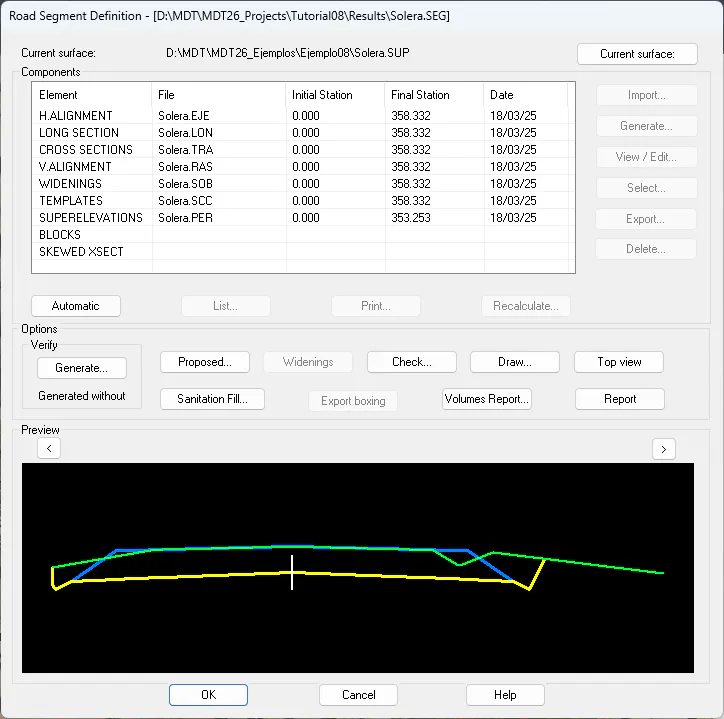
Once we have defined our full type section and the rest of the elements that make up the road (horizontal alignment, profiles, vertical alignment ...) we can group them so that from this moment we work with a single file that brings them together.
Hence, we choose the option Road/Segments > Create/Edit (or Roads > Create> Create/Edit) and specify the name of the new file a solera.SEG. Then, we press the Automatic button, all the linked files will be automatically imported.