tcpMDT
Generating superelevations - MDT26
8.2 Generating Superelevations
If you are using AutoCAD 2010 or higher, BricsCAD 21 or higher or ZWCAD 2021 or higher, you can enable the Roads ribbon as you can see in the following image, you will have the different commands related to superelevations and widenings.

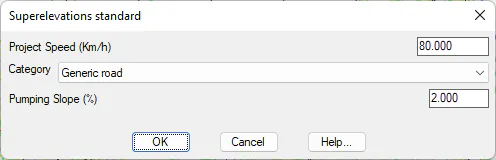
To generate the superelevation associated with the alignment, select the option Road/Segments> Superelevations> Create Superelevation from Alignment (or Roads> Superelevatons> Create Superelevations from Alignment). We select the alignment graphically on screen and the following window will appear. We select Generic Road Category, and specify as survey.per file.
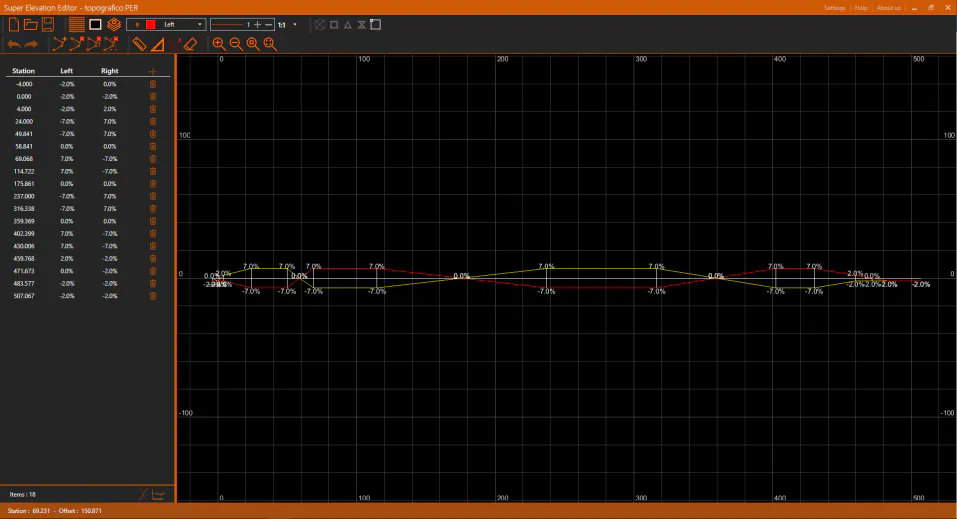
To visualize it, execute the command Segments> Superelevations> Check Superelevations (or Roads> Superelevations> Check) and select the generated file.