
tcp PointCloud Editor
Selection by elevation - PCE
7.6 Selection by Elevation
Location
- Ribbon menu
- Editing
- SELECT
- Selection by Elevation
Description
This command allows selecting all points between two given heights.
Parameters
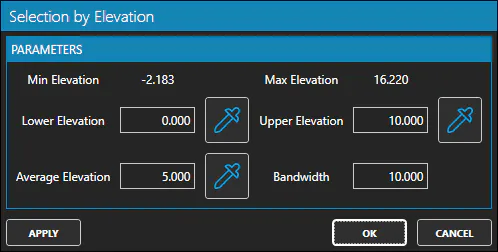
| Name | Meaning |
|---|---|
| Lower Elevation | Minimum elevation value. |
| Upper Elevation | Maximum elevation value. |
| Average Elevation | Average elevation value. |
| Bandwith | Bandwith value. |
How to use
Set the parameter values and click the Apply button to select the points that meet the criteria.
There are two ways to set the parameter values:
-
Type or peek in the 3d viewer the values of Lower Elevation and Upper Elevation.
-
Type or peek in the 3d viewer the value of Average Elevation and type the Bandwith value.