
tcpMDT
Boundary Line - MDT26
Boundary Line
 | Command to execute in the CAD |
|---|---|
Vertical menu | MDT26 > Break Lines > Boundary Line |
Ribbon menu | Break Lines > Creat > Draw Contour |
Command line |
A boundary line is defined as the geometrical demarcation performed on the scatter plot delimiting the digital model area. In other words, triangles are not formed with the points that are not within the boundary. This tool facilitates editing a great deal, avoiding having to delete external lines created during triangulation and within its parameters.
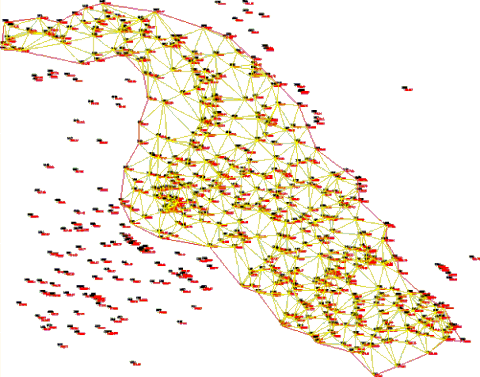
This command allows a closed polyline to be drawn with assistance. The process is like the one offered in Break Lines by Closest Point, and the layer used by default in BOUNDARY.
Although the boundary line is drawn, it does not necessarily have to be respected. It can be enabled or disabled in the triangulation process dialog box.