tcpMDT
Code - MDT26
Break lines by Code
 | Command to execute in the CAD |
|---|---|
Vertical menu | MDT26 > Break Lines > Create Break Lines > Code |
Ribbon menu | Break Lines > Creat > Codes |
Command line |
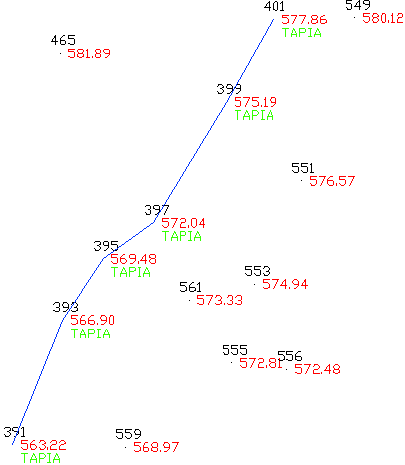
The Breaklines by Code command generates breaklines from points in the project that share a particular code. The program analyzes the codes that have the points in the drawing and displays a window.
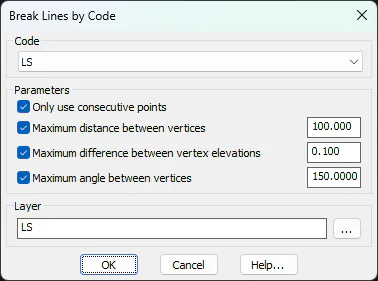
With the Code selected by the user, the program will cycle through the points in ascending numerical order and join them with a polyline. The Parameters section allows you to control the joining conditions between vertices: the Only use consecutive points option causes multiple polylines to be created if the points are not consecutive. Maximum distance between vertices avoids joining points too far apart. Similarly, Maximum Difference Between Vertex Dimensions separates polylines into excessive elevation jumps, and Maximum Angle Between Vertices prevents abrupt changes in direction.
All polylines will be drawn on the indicated Layer .