tcpMDT
[PRO] Create from Polyline in Profile View - MDT26

Create from Polyline in Profile View
 | Command to execute in the CAD |
|---|---|
Vertical menu | MDT26 > Templates > Create from Polyline in Profile View |
Ribbon menu | Templates > Create > Create from Polyline |
Command line |
This command will allow us to define a standard section at a given station as from a drawn polyline which represents section in question.
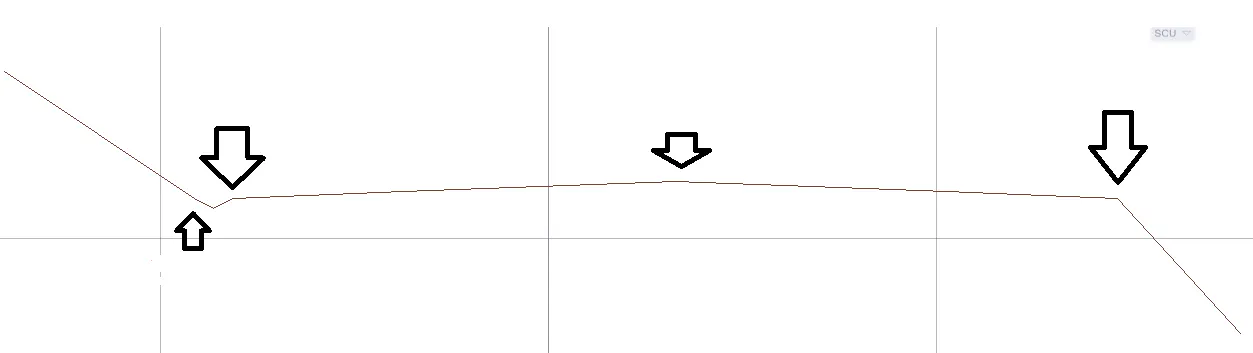
This polyline must contain at least the information corresponding to the platform with a vertex in the alignment position and in addition, optionally, the information from the ditches or slopes may be incorporated.
One example of a polyline to be converted could be the image which appears below.
Upon executing the command, it will initially ask us for the new file for sections to be created and the project alignment; once these elements have been selected, the following window will appear where the whole process will be managed.
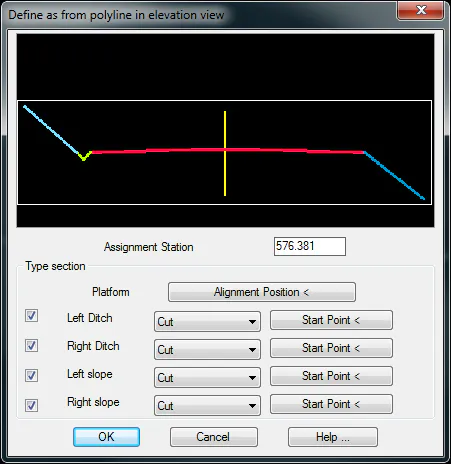
Assignment Station: We indicate the Station at which the section in question will be assigned.
Alignment Position: We designate the platform alignment position.
The other elements, in other words, the ditch and the slope we will be able to enable it or not depending on the available information.
Left Ditch: We indicate whether it is being cut or filled and the starting point at the polyline of the ditch.
Right Ditch: We indicate whether it is being cut or filled and the starting point at the polyline of the ditch.
Left Slope: We indicate whether it is being cut or filled and the starting point thereof.
Right Slope: As in the previous cases above, we indicate whether it is being cut or filled and the starting point thereof.
One of the elements comprising the section have been designated, the command Definition of Templates will be automatically designated where we will be able to see the polyline drawing and the creation of each of the elements.
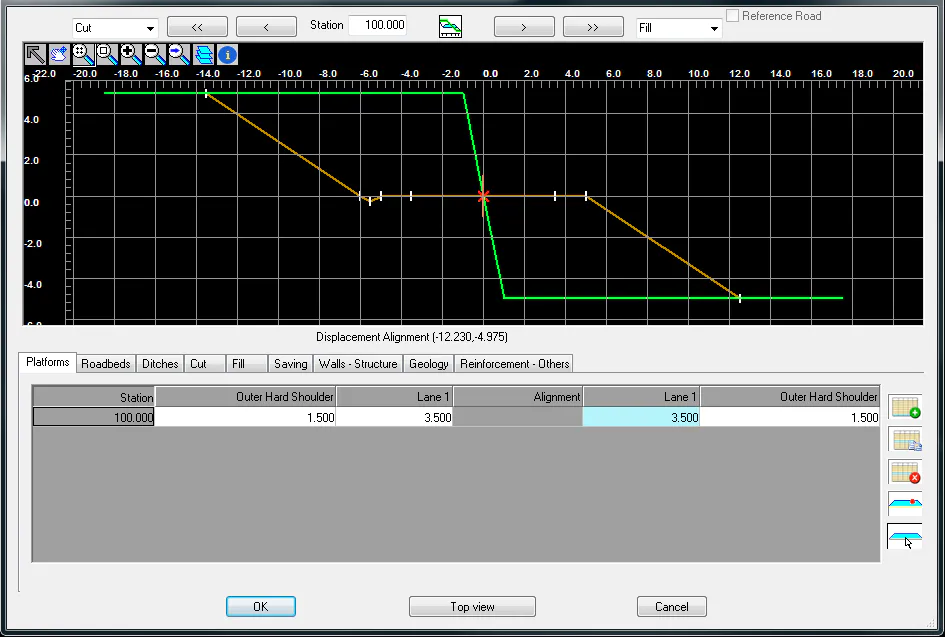
The image below shows us the result of executing the command with the previous polyline.