
tcpMDT
[PRO] Material Library - MDT26

Material Library
 | Command to execute in the CAD |
|---|---|
Vertical menu | MDT26 > Templates > Material library |
Ribbon menu | Templates > Library > Materials |
Command line |
The materials that will make up the roadbed layers of a previously defined roadbed are set in this option. A list containing all the materials that will comprise or form part of the layers is entered in the following dialog box. The information is stored in a file with a .MAT extension, and it can be used in any other subsequent project. The materials defined can be Imported and Exported.
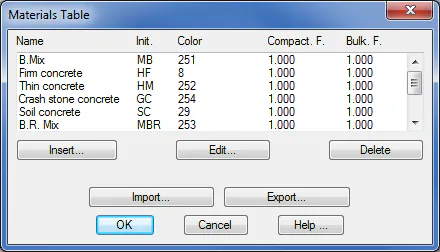
When either the Insert or Edit are clicked, the following window is displayed, where one can enter the material's characteristics:
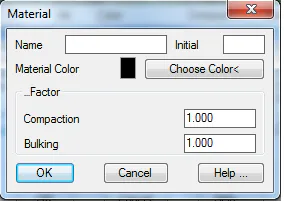
Name: Description of the material to be defined.
Color: Color of the material in the representation.
Init.: Initials representing the materials.
Compaction and Bulking Factor: Material factors that have an influence on the calculations performed using Roadbed Layers List option.