
tcpMDT
Isolate Layers - MDT26
 | Command to execute in the CAD |
|---|---|
Vertical menu | MDT26 > Isolate Layers |
Ribbon menu | |
Command line |
Isolate Layers
This command allows one to keep visible only the layers that are of interest. Initially MDT shows the following dialog box in which one can select the layers one wishes to view.
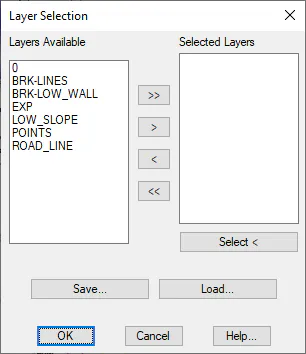
One can either graphically select the layers one wishes to view or use the displacement buttons to set the configuration of the layers desired.
In addition, the possibility exists of saving the layers configuration in a file (Save button) or loading it from a previously defined file (Load button).
Once the dialog box is validated, the command will be executed.