tcpMDT
tcpMDT. Configuration - MDT26
 | Command to execute in the CAD |
|---|---|
Vertical menu | MDT26 > Configuration |
Ribbon menu | |
Command line |
Configuration
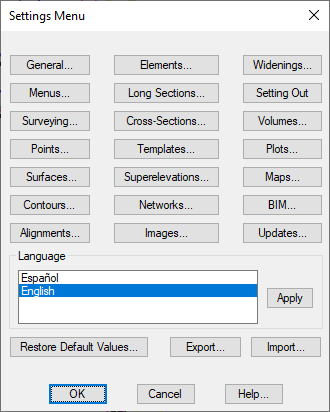
The Utilities > Configuration option provides access to the menu that allows one to configure the parameters affecting most of the program commands. Although these configuration values are designed so that their modification is not necessary in most cases, it is possible to change them in order to adapt the program to user habits and needs. These values are shown in parenthesis in this manual.
All these values are stored in the Windows registry. They can only therefore be changed from this menu. Advanced users may also use the operating system's REGEDIT program.
The parameters are organized around a series of functional groups, which are listed below.
All of the initial configuration values can be recovered by clicking on the Restore Default Values button.