tcpMDT
Area Report - MDT26
Area Report
 | Command to execute in the CAD |
|---|---|
Vertical menu | MDT26 > Networks > Sections in Profile View > Area Report |
Ribbon menu | Networks > Profiles > Area Report |
Command line |
This option will allow us to obtain a list of surfaces in elevation of the section of the pipe with each of the materials defined, in addition to the total cut surface.
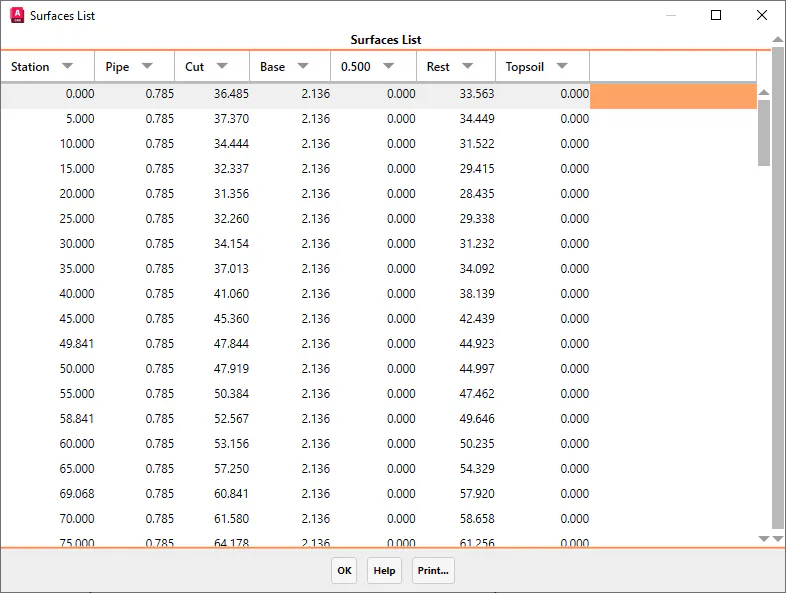
Once the segment and the pipe section file have been selected, the following list will be displayed with all the information. The initial station and the final station have been previously indicated.