tcpMDT
[PRO] Check Pipes - MDT26

Check Pipes
 | Command to execute in the CAD |
|---|---|
Vertical menu | MDT26 > Networks > Pipes > Check Pipes |
Ribbon menu | Networks > Sections > Verify |
Command line |
This tool enables us to check if the selected pipe complies with the conditions of the settings.
The properties to be checked are the distance between nodes, the minimum and maximum slope of each pipe and the covering. These values can be configured in Settings > Networks.
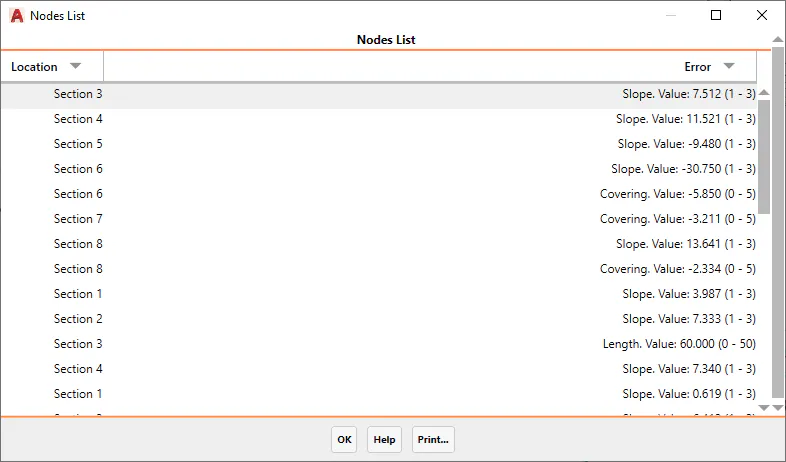
When selecting the section, a list will appear with a (*) in each section that fails to comply with the aforementioned conditions, in addition to the type of error in question.